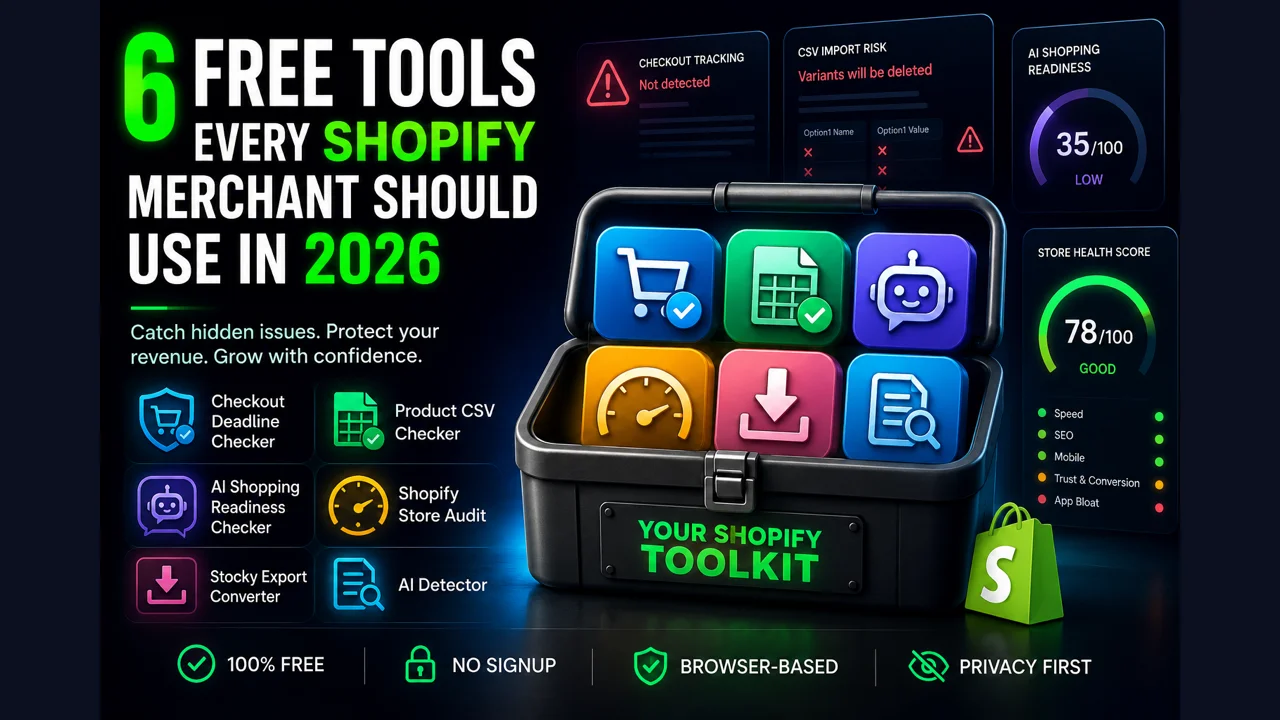
Short answer: the six free Shopify tools every merchant should use in 2026 are the Checkout Deadline Checker (catches broken checkout tracking), the Product CSV Checker (catches variant-deleting imports), the AI Shopping Readiness Checker (catches product pages AI can't read), the Shopify Store Audit (speed, SEO, and conversion gaps), the Stocky Export Converter (saves your Stocky data before the shutdown), and the AI Detector (checks product copy for AI-writing signals). All are free, need no signup, and run in your browser without uploading your data.
Every one of these came out of a real merchant problem, not a feature list. A store loses attribution after a Shopify deadline and can't tell why. A bulk price update wipes half a catalog. A product page ranks fine on Google but never gets picked when a shopper asks ChatGPT for a recommendation. The tools below are narrow on purpose: each one answers a single question fast, tells you plainly what it can and can't see, and never asks for your email to hand over the result.
A quick note on privacy, because it's the reason these are worth trusting. Four of the six do all their work locally in your browser and send nothing anywhere. The two that need to fetch a page (the store audit and the AI shopping checker) load only the public URL you type, the same page any visitor sees, and store nothing afterward. None of them run your store data through an external AI model. There are now nine of these tools, three more than when this post first went up; for the full set, including the Google Merchant Center checker and the two inventory calculators, see the 9 best free Shopify tools for 2026. Here are the original six, ordered by how many merchants they'll help right now.
The six tools at a glance
- Checkout Deadline Checker: is your checkout tracking still working after the 2026 deadlines?
- Product CSV Checker: will this import delete your variants before you upload it?
- AI Shopping Readiness Checker: can ChatGPT and Perplexity read and recommend your product?
- Shopify Store Audit: speed, SEO, mobile, trust, and app bloat, ranked by impact.
- Stocky Export Converter: save your POs, suppliers, and costs before Stocky shuts down.
- AI Detector: does your product copy read as AI-written?
Checkout Deadline Checker
"My Facebook and Google numbers stopped matching my Shopify orders and I don't know when it started."
Shopify spent 2025 and 2026 retiring the old checkout. Checkout Scripts were sunset, the Additional Scripts field was locked, and checkout.liquid hit its hard removal date for every plan in August 2026. The visible part of that migration gets attention. The quiet casualty is tracking: pixels and tags that used to fire on the old checkout stop firing when a store reverts to the default checkout, and conversion data goes missing. Ad platforms keep spending against numbers that no longer reflect real purchases.
The Checkout Deadline Checker scans your storefront for the legacy tracking signals that break, an inline Meta Pixel, a legacy GA or GTM setup, a purchase dataLayer pushed the old way, versus the migrated Shopify Web Pixel. It gives you a tracking score plus a dated admin checklist for the signal it cannot see from outside: whether your store is on the new checkout. That answer lives in Settings and Checkout in your admin, behind a login, so the tool points you there rather than pretending to know.
Run it on any store URL and it discriminates real cases from clean ones, returning an honest "nothing to scan" state for password-protected or non-Shopify stores instead of inventing a score.
Run the Checkout Deadline Checker →If the fix is moving discount or bundle logic off Scripts and into a Shopify Function, that's exactly what EZBundle and Quizzo do natively. For the deeper background, see the checkout extensibility deadline guide.
Product CSV Checker
"I ran a bulk SKU update and half my variants disappeared. There was no error."
Shopify's product CSV import has a rule that surprises even experienced merchants: if your file includes a variant column like Variant SKU or Variant Weight but leaves out both the Option1 Name and Option1 Value columns, Shopify rebuilds the product with a single default variant and deletes the rest. No warning, no undo. It only bites on updates to products that already have variants, which is why a routine price or SKU change is the exact operation that triggers it.
The Product CSV Checker reads your file before you upload and leads with that destructive case, the one Shopify's own documentation warns about and most generic CSV validators skip. It also flags the everyday problems that quietly corrupt a catalog: SKUs that Excel mangled into scientific notation like 7.05E+11, blank or inconsistent handles that split one product into several, currency symbols in price cells that import as 0.00, image URLs Shopify can't read, and encoding issues. Every finding comes with the affected row numbers and a plain fix.
It's fully client-side. Your CSV never leaves the browser, there's no server route and nothing is uploaded, which matters when the file holds your whole catalog and cost data. If you want the detail behind the worst case, we wrote up why a Shopify CSV import deletes variants separately.
Check my CSV free →Bulk edits are also where inventory drifts out of sync. Once your products are clean, EZStock keeps stock levels, reorder points, and purchase orders accurate on top of your catalog.
AI Shopping Readiness Checker
"My product ranks on Google, so why does ChatGPT never recommend it?"
A growing share of product research now starts inside an AI assistant. ChatGPT Shopping, Google's AI Mode, Perplexity, and Gemini read product pages and recommend specific items, and they lean on structured, machine-readable signals to do it. A page that looks perfect to a human can be close to invisible to these agents if the Product schema, Offer price and availability, brand, reviews, and identifiers aren't there in a form the agent can parse.
The AI Shopping Readiness Checker grades a single product-page URL on the signals those agents actually use, product identity and data, reviews and authority, merchant trust, buyer-question coverage, commercial hygiene, and whether your robots.txt even allows the AI search crawlers. It returns a score with per-check pass or fail marks, and where a core signal is missing it hands you a paste-ready block of valid Product and Offer JSON-LD, pre-filled from what it could read, so you're not writing schema from scratch.
It's honest about one real limit: if your store renders its Product JSON-LD with JavaScript on the client, a non-JS crawler, and the tool, may not see it. That's not a tool quirk, it's how a lot of AI crawlers see you too, so the tool flags it as a high-impact finding rather than quietly scoring you as ready. For the wider picture, see how to get products recommended in ChatGPT Shopping and the product schema for AI shopping guide.
Check a product page →Rich product data and social proof are also what lift conversion for human shoppers, which is where PopBoost adds reviews and trust signals on the page.
Shopify Store Audit
"I know my store could be faster or convert better, I just don't know which fix is worth doing first."
The Shopify Store Audit takes a store URL and checks speed, SEO, mobile, trust signals, schema, and app bloat in one pass, pulling real Core Web Vitals from Google's PageSpeed data where available. What sets it apart from a generic site grader is that every issue is ranked by business impact, so a missing page title that blocks discovery sits above a cosmetic warning, and each finding carries a "why it matters" line and a specific "how to fix" step.
It also does two things most free auditors don't. It separates what it can measure (a missing title, a broken link, a slow LCP) from what it can only suggest (a conversion best practice you might reasonably skip), and it caps those suggestions so a debatable "consider adding urgency" can never outrank a proven defect. And it reads your product schema for AI-shopping signals and checks a sample of internal links for breakage. When it can't measure something, it says so plainly instead of hiding the gap.
You get a prioritized to-do list, not a wall of red. Start at the top, fix the high-impact items, re-run it. If you'd rather work from a written version, the free Shopify store audit checklist covers the same ground step by step.
Audit my store free →When the audit surfaces conversion gaps, our apps map to them directly: PopBoost for social proof and urgency, EZBundle for bundles and average order value, and Quizzo for a guided product quiz.
Stocky Export Converter
"Stocky is shutting down and I don't want to lose years of purchase orders and supplier costs."
Stocky, Shopify's own inventory add-on for Advanced and Plus plans, is being discontinued, with access ending August 31, 2026. The catch is that its history doesn't move cleanly. Stocky's purchase-order CSV only creates a new draft on the other side, dropping the status, received quantities, supplier, and cost that made the record useful. The one free tool that existed before was audit-only, it validated a file but didn't convert it.
The Stocky Export Converter handles all four data types, purchase orders (from CSV or the Stocky API JSON), suppliers, stocktakes, and SKU costs, and outputs both a Shopify-native CSV and an EZStock-ready file. It runs entirely in the browser, uploads nothing, and lists any rows it has to skip rather than dropping them silently, so you know exactly what came across. If you can reach the Stocky API, the JSON export preserves the most, including per-line cost and received dates, and the tool documents how to pull it.
For the full playbook, see how to export your Stocky data before the shutdown and the Stocky to Shopify migration guide.
Convert my Stocky export →The EZStock-ready output drops straight into EZStock, which continues the purchase-order, supplier, and reorder workflow Stocky merchants relied on.
AI Detector
"I generated my product descriptions with AI and I'm worried they read like it."
Product copy written or heavily edited by AI tends to share the same tells: filler phrasing, over-even sentence rhythm, and a small set of overused words. Shoppers notice, and copy that reads as generated does less to build trust. The AI Detector checks any text for those signals and gives you a score with the specific flags, so you can see which lines to rewrite in your own voice.
It runs fully in the browser. Paste text and nothing leaves your device. For a stronger read, an optional deep scan loads a real machine-learning model into your browser, still with zero network calls to any AI service, and adds a word-by-word view. There's also a mode where you paste a public URL and it pulls the readable text to check. The tool is careful to state that AI detection is not perfect and should never be used to accuse someone, it's a rewrite aid, not a verdict.
Check my copy →If you want AI detection and a one-click rewrite while you work, the same engine ships as our Anti-Slop browser extension.
How to use these six together
You don't need all six at once. A practical order for most stores:
- This week: run the Checkout Deadline Checker. Broken attribution after the 2026 deadlines is the most expensive silent problem on this list, and the fix window has already passed for most plans.
- Before your next bulk edit: run any product import through the Product CSV Checker. It costs a minute and can save your catalog.
- This month: run the Store Audit and the AI Shopping Readiness Checker on your best-selling product page. One tells you what to fix for people, the other for the AI agents that increasingly send buyers.
- If you use Stocky: run the Stocky Export Converter before August 31, 2026. After that, the data is much harder to recover.
- Whenever you write copy: pass it through the AI Detector before it goes live.
The apps behind the tools
These tools come from a small set of Shopify apps we build, and the connection is deliberate: a tool finds the gap, an app closes it for good. If a tool flagged something you'd rather not keep re-checking by hand, here's what handles it:
- EZStock: inventory, suppliers, reorder points, and purchase orders. The natural home after a Stocky migration. Shopify App Store
- PopBoost: social proof, urgency, and trust widgets for the conversion gaps an audit surfaces. Shopify App Store
- EZBundle: fixed and mix-and-match bundles built on Shopify Functions, not legacy Scripts. Shopify App Store
- Quizzo: a gamified product quiz that recommends a bundle with a discount. Shopify App Store
- EZDrop: viral product drops and referral waitlists. Shopify App Store
Start with the one that pays off fastest
Most stores get the biggest single win from the store audit, because it ranks every fix by impact and tells you where to start. It's free, needs no signup, and nothing is uploaded.
Audit my store free →Frequently asked questions
Are these Shopify tools really free with no signup? Yes. No account, no email, no trial. Most run entirely in your browser and never upload your file or store data. The two that fetch a page you name fetch only that public URL and store nothing.
Do I need to install a Shopify app to use them? No. None require installing an app or connecting your admin. You paste a URL or drop in a file and get a result in seconds. The paid apps are separate and optional.
Which one should I run first? If you sell on Shopify in 2026, run the Checkout Deadline Checker first, a store on legacy checkout tracking is quietly losing attribution. If you bulk-edit products by CSV, run the Product CSV Checker before your next import.
Is it safe to paste my store URL or upload my CSV? The file-based tools process everything locally in your browser and send the file nowhere. The URL-based tools fetch only the public page you enter and keep nothing. None call an external AI model with your data.