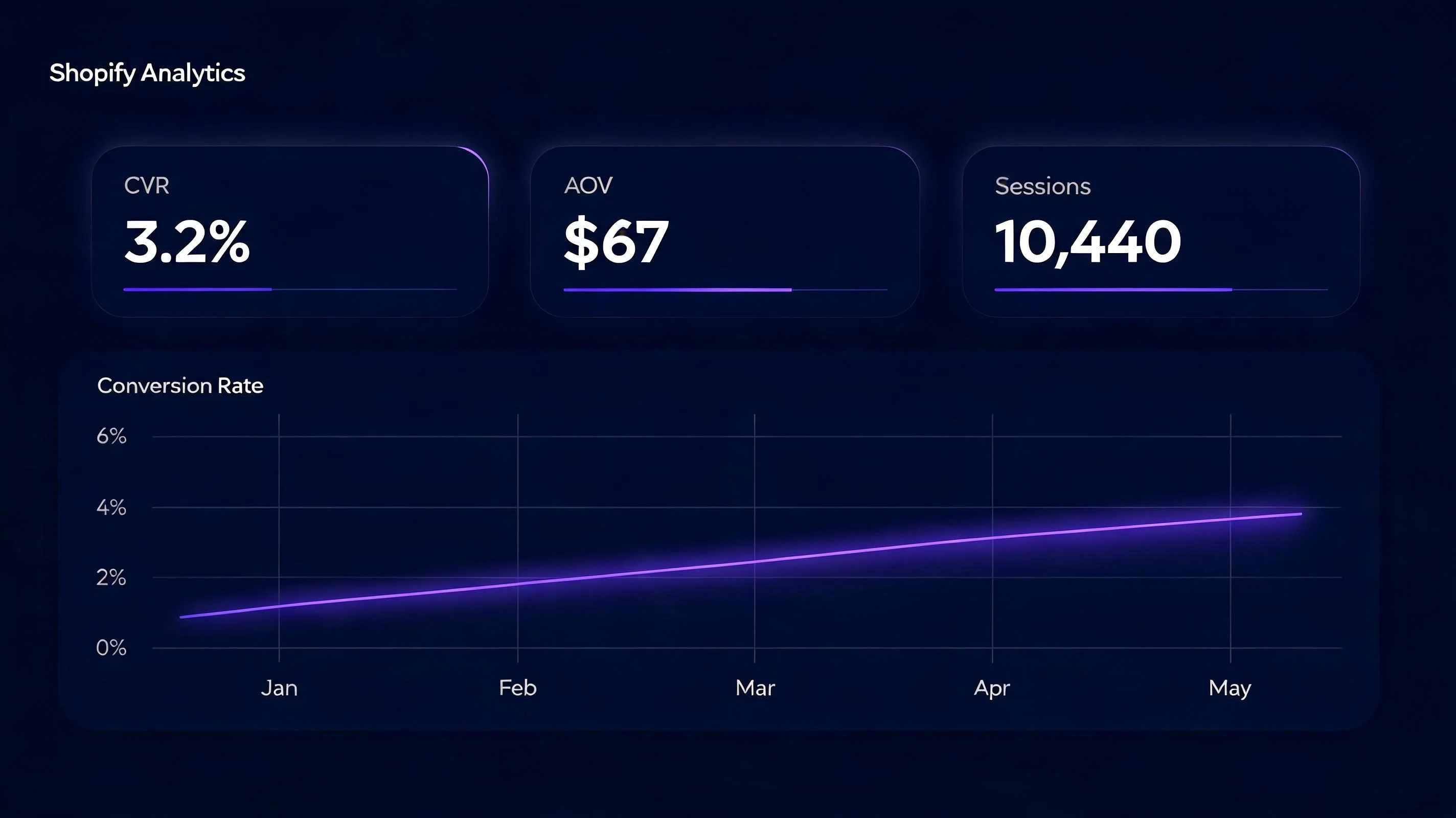
Your baseline: what is a good Shopify conversion rate?
Before optimizing, know your starting point. Shopify's 2025 merchant data shows median conversion rates by vertical:
- Apparel and accessories: 1.9%
- Beauty and personal care: 2.2%
- Home and garden: 1.7%
- Electronics: 1.1%
- Food and beverages: 2.8%
- Sports and outdoor: 1.6%
Find your current conversion rate in Shopify Analytics → Overview → Online Store Conversion Rate. If you're at or below the median for your vertical, you have high-impact CRO opportunities. If you're above median but below the top 20% benchmark (3.2–4.7%), there are still meaningful gains available.
Before starting any optimization work, get an objective view of your store's current state. RoastWeb runs an AI-powered analysis of your Shopify store — examining your product pages, mobile experience, trust signals, and conversion funnel — and produces a prioritized list of specific improvements with estimated revenue impact. This takes 5 minutes and gives you a data-driven starting point for your CRO roadmap.
| Area | Check | Impact |
|---|---|---|
| Page speed | LCP < 2.5s; FCP < 1.8s | High — 1s delay = 7% CVR drop |
| Product photos | 5+ images; lifestyle shots; zoom enabled | High — #1 reason for add-to-cart |
| Social proof | Reviews on product page; purchase notifications | High — 2.1x CVR lift |
| Urgency signals | Low stock badge; countdown timer for sales | Medium-High — 8–18% lift |
| Exit intent | Popup with discount on cursor leave | Medium — 5–12% recovery |
| Free shipping bar | Progress bar to free shipping threshold | Medium — 15–30% AOV lift |
| Mobile checkout | Thumb-friendly CTAs; Shop Pay enabled | High — 60%+ traffic is mobile |
| Trust badges | SSL seal; return policy; payment icons | Medium — reduces friction for new visitors |
Category 1: Trust signals (items 1–4)
1. Add customer reviews to every product page
93% of consumers say reviews influence purchasing decisions (Trustpilot, 2024). A product page with zero reviews is asking visitors to take a risk with no evidence. Install a review app (Judge.me, Loox, or Okendo) and immediately launch a post-purchase review email sequence. Within 30 days of consistent post-purchase emails, most stores generate enough reviews to display meaningful averages.
Priority: first reviews on your top 5 products by traffic. A product with 12 reviews converts measurably better than the same product with 0 reviews. Getting to 12 is the first milestone; getting to 50 is the second.
2. Display trust badges at the checkout entry point
Trust badges — SSL Secure, Free Returns, Money-Back Guarantee, Secure Payment icons — address specific checkout anxiety triggers. Place them below the Add to Cart button on product pages (where the purchase decision is made) and in the cart page header. Avoid trust badges that aren't real: if you don't offer free returns, don't show a Free Returns badge.
3. Show real social proof signals with PopBoost
Add a social proof popup (showing recent purchases from real orders), a BESTSELLER badge on your top sellers, and stock countdown on your lowest-inventory items. These three signals together — without any copy changes — reduce the trust deficit that first-time visitors experience. See the full social proof guide for setup details.
4. Add an "About" page with real team information
An About page with photos of the founders, the story behind the brand, and a physical address (if applicable) dramatically increases trust for first-time visitors. Online brand verification studies consistently show that the presence of a credible About page reduces bounce rates from product pages by 8–15%. It's one of the lowest-effort, highest-trust investments available.
Category 2: Urgency and FOMO (items 5–8)
5. Enable a countdown timer during every promotion
Every time-limited offer you run should have a countdown timer on the relevant product pages. No timer = no urgency = visitors delay the decision = lower conversion. Configure PopBoost's countdown timer with your actual sale end date, place it above the Add to Cart button, and remove it when the promotion ends. Never use evergreen timers. See the countdown timer guide.
6. Deploy stock countdown on low-inventory items
When genuine inventory is 1–10 units, show it: "Only 4 left in stock." This activates scarcity without fabrication. PopBoost's stock countdown reads from real Shopify inventory data — no manual updates needed. Maintain accurate inventory with EZStock so the signal is always honest.
7. Add product badges to collection pages
SALE badges on discounted items and LOW STOCK badges on scarce items direct attention and communicate value before the click-through. Collection page CTR increases 15–35% with well-applied badges. Setup: Shopify product badges guide.
8. Configure the free shipping bar
Set the free shipping threshold at 15–25% above your current AOV. Enable the free shipping bar on all pages. Over 30 days, measure AOV before vs. after — expect 15–30% lift. This is the highest-ROI single widget in ecommerce, and the one most merchants are not running. Full setup: free shipping bar guide.
Install all 7 FOMO and conversion widgets from one app
PopBoost includes social proof popup, countdown timer, stock countdown, product badges, announcement bar, free shipping bar, and exit intent popup — $19/month, 14-day free trial.
Install PopBoost free →14-day free trial · no credit card required · works with all Shopify themes
Category 3: Product page quality (items 9–13)
9. Replace stock photography with original product images
Original photography — taken by you or a professional, showing your actual product from multiple angles, in context, and on a model if applicable — outperforms stock photography in every conversion test ever run. Customers are buying your product, not a stock photo. If budget is a constraint, invest in a one-time professional shoot for your top 10 products by revenue and extend the improvement to your full catalog over time.
10. Add at least one in-context lifestyle image per product
A product photo on a white background shows what the product looks like. A lifestyle photo — showing the product in use, in a real environment — shows the customer what their life will look like with the product. The latter sells more. Include at least one lifestyle image in every product's gallery, ideally as the second image so it appears in the hover/swipe state.
11. Rewrite product descriptions to answer objections, not just describe features
Most product descriptions list features. High-converting product descriptions answer the questions a customer has at the moment of purchase: Does it fit? How does it feel? Is it worth the price? Will it last? Will it work for my use case? Reframe your descriptions around the customer's concerns rather than the product's attributes. A/B test a rewritten description on your top-5 products and measure the conversion rate change.
12. Add a size chart, fit guide, or comparison table
Uncertainty about sizing, fit, or product specifications is the silent conversion killer. Baymard found that product specification uncertainty is cited by 23% of abandoners as a contributing reason for not buying. A size chart (for apparel), a technical specs table (for electronics/hardware), or a "which product is right for me" guide addresses this directly. This content is also a strong E-E-A-T signal for SEO.
13. Show the Shopify reviews widget prominently
The star rating and review summary should appear above the fold on product pages — within the first screen of content, before any scrolling. The most common positioning mistake is placing reviews at the very bottom of the page, where most visitors never scroll. Move the review widget to directly below the product title and price. The average star rating is often the single highest-impact trust signal on the page.
Category 4: Technical performance (items 14–17)
14. Audit and reduce your third-party app scripts
Every Shopify app that installs a storefront script adds load time. A Google PageSpeed study found each 100ms of additional load time reduces conversions by ~1%. Run a PageSpeed Insights audit (free at pagespeed.web.dev) on your product pages and identify which scripts are causing the most load time. Uninstall apps you're not actively using — their scripts often persist even after you stop using the admin panel.
This is a reason to prefer all-in-one solutions over single-purpose apps: PopBoost replaces 5+ separate apps with a single Theme App Extension, reducing your total script load significantly.
15. Achieve a mobile LCP under 2.5 seconds
Largest Contentful Paint (LCP) — the time until the main page content is visible — should be under 2.5 seconds on mobile. Over 60% of Shopify traffic is mobile. Run PageSpeed Insights on your product pages (specifically the mobile audit) and work through the specific recommendations: image optimization, lazy loading, script deferral, and critical CSS inlining are the most common fixes for Shopify stores.
16. Optimize product images for WebP format
Shopify automatically serves images in WebP format when the browser supports it. Ensure your original images are uploaded at the right resolution — Shopify recommends 2048×2048px for product images, which is large enough for zoom but not unnecessarily large. Uploading 5000×5000px images adds download time on mobile even with WebP conversion.
17. Ensure your theme passes Core Web Vitals
Core Web Vitals (LCP, INP, CLS) are Google ranking factors. A theme that fails Core Web Vitals rankings hurts both your organic traffic and your paid traffic quality score. Test at web.dev/measure, identify failing metrics, and either fix them (usually image and script loading) or switch to a faster theme. Shopify's Dawn theme and its derivatives are optimized for Core Web Vitals by default.
Category 5: Checkout and retention (items 18–20)
18. Eliminate the shipping cost surprise at checkout
Baymard's 2025 checkout abandonment study found "unexpected shipping costs" is the #1 reason for cart abandonment, cited by 49% of abandoners. Eliminate the surprise: show shipping costs (or free shipping eligibility) on the product page. The free shipping bar widget does this automatically. If you charge for shipping, display the cost range clearly before checkout so it's not a surprise at the payment step.
19. Reduce checkout steps with Shopify's one-page checkout
Shopify's native one-page checkout (now available on all plans) consolidates the address, shipping, and payment steps into a single scrollable page. Merchants switching from multi-page to one-page checkout report 3–8% checkout completion rate improvements. Enable it in Shopify Admin → Settings → Checkout. On Shopify Plus, further customize the checkout with Shopify Functions to add FOMO signals and upsells at the payment step.
20. Add an exit intent popup to capture abandoning visitors
Your exit intent popup is the last CRO intervention before a visitor leaves your store. Configured with a compelling offer (10–15% discount, free shipping unlock, or value-reinforcing message), it converts 2–5% of abandoning visitors. At scale, this represents significant recovered revenue. Every Shopify store should have an exit intent popup running as a permanent baseline widget. Setup: exit intent popup guide.
Your 90-day CRO roadmap
Don't implement all 20 points simultaneously — you won't be able to isolate what moved your conversion rate. Instead, work in phases:
Week 1–2 (quick wins): Trust badges, social proof popup (PopBoost), free shipping bar (PopBoost), product badges on top sellers. These have minimal implementation effort and immediate visibility.
Week 3–4 (urgency layer): Exit intent popup, countdown timer for next promotion, stock countdown on low-inventory items, announcement bar configuration.
Month 2 (product page quality): Photography audit and re-shoot for top 10 products. Product description rewrites. Size charts and specs tables. Review widget placement optimization.
Month 3 (technical): PageSpeed audit and implementation. Core Web Vitals fixes. Checkout step reduction.
After 90 days, run a full-store audit on your updated conversion rate. Compare it to your starting point. The combination of trust signals, FOMO widgets, product page quality improvements, and technical performance typically compounds to a 60–120% conversion rate improvement for stores that were below the median when they started.
Product drops as a CRO strategy
One advanced CRO tactic that doesn't fit neatly into a checklist but deserves mention: product drops. A structured, waitlist-gated product release with a referral mechanic creates a pre-launch conversion environment where demand is built before the product is available. The conversion rate for a well-executed drop launch is dramatically higher than a standard product release, because the audience has self-selected, competed for position, and is highly motivated to buy the moment the drop goes live.
EZDrop is the Shopify app for this use case — creating drops with referral-powered waitlists, countdown timers to the release date, FOMO badges on product pages, and automated launch-day emails to top-ranked waitlisters. See the EZDrop guide to running a product drop on Shopify for the complete playbook.
Frequently asked questions about Shopify CRO
What is a good conversion rate for Shopify?
The Shopify average is 1.4%. Top 20% of stores convert at 3.2–4.7%. A realistic 90-day CRO goal for a store currently at 1.4% is 2.2–2.8% — achievable through systematic trust, FOMO, and UX improvements without changing your product or pricing.
What causes low Shopify conversion rates?
The most common causes: no reviews (trust deficit), weak product images (poor product representation), unexpected shipping costs at checkout (Baymard: #1 abandonment cause), slow mobile load times (each additional second costs ~7% conversion), and no urgency signals (visitors delay decisions with no reason to act now).
How long does Shopify CRO take to show results?
Quick wins (trust badges, social proof popup, free shipping bar) show measurable results in 7–14 days. Structural changes (photography, mobile UX) need 30–60 days. Review generation is a 60–90 day program. Plan a 90-day roadmap and compound improvements.
Should I use A/B testing for Shopify CRO?
Yes, if you have enough traffic (1,000+ sessions per variant to reach statistical significance). For lower-traffic stores, implement changes sequentially and compare 30-day windows before vs. after each change. Shopify Plus includes native A/B testing via Shopify Experiments.
What is the most impactful single CRO change I can make on Shopify?
For most stores, the highest-impact single change is adding genuine customer reviews to product pages. Reviews address trust (the core purchase barrier), improve SEO (review content adds indexed text), and compound over time as volume builds. If you have reviews but a low conversion rate, the second-highest impact change is typically eliminating the shipping cost surprise at checkout.
Start with a full store audit — RoastWeb provides an AI-powered analysis of your Shopify store's current conversion funnel and ranks your highest-priority CRO opportunities by revenue impact. For the FOMO layer specifically, the FOMO marketing for Shopify guide covers all 7 PopBoost widgets in detail. For product drops as a launch strategy, see the complete product drop playbook.
