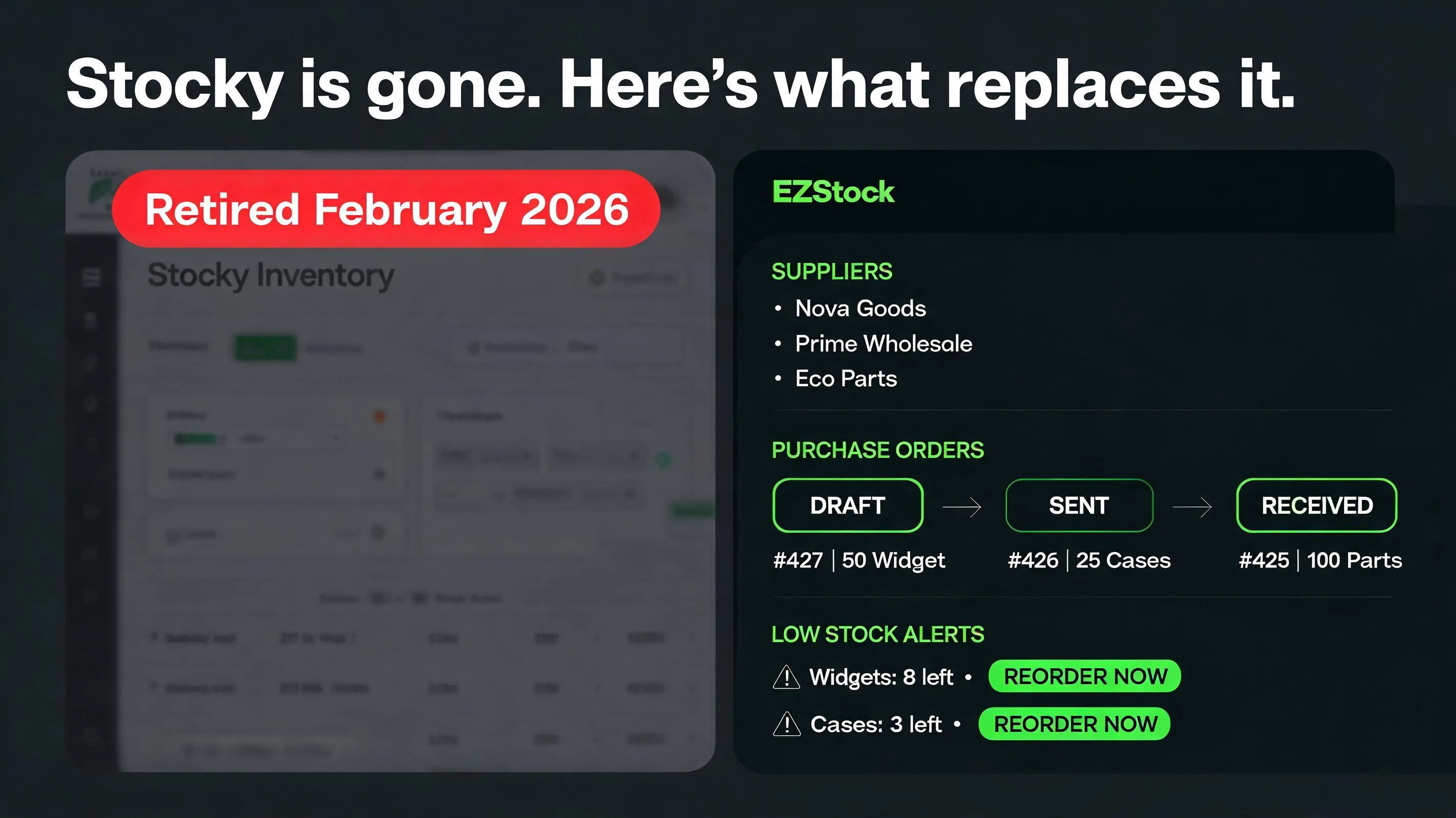
What Stocky was — and why merchants relied on it
Stocky was a free inventory app, built and maintained by Shopify itself. It had three features that merchants built entire reorder workflows around:
- Demand forecasting: Stocky analyzed your historical sales data and generated reorder suggestions based on expected demand and current stock levels. It took the guesswork out of knowing what to order and when.
- Purchase order creation: You could create structured purchase orders inside the Stocky, send them to suppliers, and track which POs were outstanding versus fulfilled. All without opening a spreadsheet or a Google Doc.
- Supplier management: Stocky stored your supplier contacts, let you associate products with specific suppliers, and tracked basic supplier details like lead times. It was a functional supplier database built directly into the Shopify ecosystem.
For small and mid-size merchants, Stocky was good enough. It wasn't perfect — the forecasting was basic compared to dedicated inventory planning tools, and it didn't generate PDF purchase orders or email them to suppliers directly. But it was free, it lived inside Shopify, and it handled the core inventory workflow without requiring a $100/month enterprise app.
That's exactly what makes its retirement painful. With Stocky shutting down, there's no equivalent free replacement waiting. Merchants who built their purchasing process around Stocky were suddenly back to spreadsheets.
What you're left with after Stocky — and what's still missing
Once Stocky is gone, Shopify's native Purchase Orders feature is what's left in the admin. It's better than nothing, but it's a significant step back from what Stocky offered:
| Feature | Stocky (retiring Aug 31, 2026) | Shopify Native POs |
|---|---|---|
| Purchase order creation | ✓ | ✓ (basic) |
| Supplier database | ✓ | ✗ |
| Lead time tracking per supplier | ✓ | ✗ |
| Demand forecasting | ✓ | ✗ |
| Reorder point suggestions | ✓ | ✗ |
| Sales velocity analysis | ✓ | ✗ |
| PDF purchase orders | ✗ | ✗ |
| Email PO to supplier in-app | ✗ | ✗ |
| Partial receiving tracking | Limited | ✗ |
| Cost | Free | Free |
The gap is significant. Shopify's native PO tool lets you create and track purchase orders, but it doesn't tell you what to order or how much. Demand forecasting and reorder suggestions — the features that made Stocky actually useful for purchasing decisions — are completely absent. If you want those back, you need a third-party app.
What to look for in a Stocky alternative
Not all inventory apps are the same. Before evaluating options, it helps to know which Stocky features were actually driving value for your specific operation. Most merchants who relied on Stocky need:
- Demand-based reorder suggestions — not just a "low stock" alert when you've already hit zero, but a forward-looking signal based on sales velocity and supplier lead times so you can reorder before you stock out.
- Supplier records — a central place to store each supplier's contact, lead time, payment terms, and preferred order format. Without this, every PO requires you to look up information that should be on file.
- Professional purchase orders — a properly formatted PO that you can send to a supplier, not a manually formatted email or a Google Sheets template.
- Receiving workflow — a way to mark what actually arrived versus what was ordered, so your Shopify inventory updates correctly when a shipment comes in.
- Shopify-native feel — embedded in your Shopify admin with single sign-on. Switching to a separate tool with its own login and database is a friction point that most merchants avoid.
Anything that doesn't cover the first four items is a downgrade from Stocky, not a replacement. Keep that as your minimum bar when evaluating options.
Already know you need a Stocky replacement?
EZStock covers every Stocky feature — supplier database, demand-based reorder suggestions, PO generation — plus PDF purchase orders and direct email to suppliers. Free plan available.
Install EZStock free →Starter from $19/month · free trial included · works with any Shopify plan
The 4 best Stocky alternatives for Shopify in 2026
Here are the apps that realistically fill the gap Stocky leaves, compared honestly — including where they fall short:
EZStock — Full Inventory Management + PDF POs
EZStock is built specifically for the Shopify merchant who wants a clean, embedded replacement for Stocky — not an enterprise inventory system that requires a week to set up. It covers every feature Stocky had, adds two that Stocky didn't (PDF purchase orders and direct email delivery to suppliers), and lives entirely inside your Shopify admin.
- Supplier database: Store each supplier's name, email, phone, lead time, currency, and notes. Associate specific product variants with specific suppliers so PO creation can prefill the right contact and costs automatically.
- Demand-based reorder suggestions: EZStock calculates a rolling sales velocity for each variant using your actual Shopify order data. It surfaces which products are approaching their reorder point relative to your supplier's lead time — the same forward-looking signal Stocky provided.
- Purchase order workflow: Create a PO in draft, confirm it, send it to your supplier, and track it through partial receipt to fully received. Each status change (DRAFT → SENT → PARTIAL → RECEIVED) is logged so you always know what's outstanding.
- PDF purchase orders: Generate a professional PDF for any PO and email it directly to the supplier from inside the app — something Stocky never supported. No more downloading and attaching manually.
- Inventory updates on receipt: When a shipment arrives, mark items as received against the PO. EZStock writes the quantity update to Shopify automatically, eliminating manual variant-by-variant adjustments.
The free plan covers basic inventory monitoring. Supplier database, purchase orders, and demand-based suggestions are on the Starter plan at $19/month — which is where most merchants coming off Stocky will land.
Prediko — AI-Powered Inventory Planning
Prediko targets merchants whose main frustration with Stocky was the quality of its forecasting. Where Stocky used trailing sales velocity, Prediko applies machine learning to identify seasonal patterns, promotional lifts, and sales trends that a simple rolling average misses. If your catalog has strong seasonality or you run frequent sales, Prediko's forecasting accuracy is meaningfully better.
- AI demand forecasting with seasonality and trend detection
- Supplier management and purchase order creation
- Replenishment suggestions with confidence intervals
- No free plan — starts at $39/month
The tradeoff: Prediko costs more, has no free tier, and requires more configuration to calibrate the AI to your catalog. For merchants with straightforward SKUs and no complex seasonal patterns, the extra forecasting sophistication isn't worth the additional cost. For merchants with 300+ SKUs and strong seasonal curves, it is.
Inventory Planner by Sage — Advanced Multi-Location Planning
Inventory Planner (acquired by Sage, the accounting software company) is the most powerful option on this list and the most expensive. It's built for merchants with multiple warehouses, complex product hierarchies, or operations that involve manufacturing inputs rather than finished goods purchased from suppliers. Shopify is one of many platforms it integrates with — it also connects to Walmart, Amazon, and wholesale channels simultaneously.
- Advanced demand forecasting across multiple sales channels
- Multi-location and multi-warehouse support
- Purchase order creation with variant-level detail
- Integration with accounting systems
- Starts at $99/month — pricing scales with order volume
This is overkill for most merchants who were using Stocky. It's the right choice for operations that have grown past the limitations of simpler tools — multiple warehouse locations, omnichannel selling, or finance teams that need inventory data integrated into accounting. For a standard Shopify store with one location and a handful of suppliers, the complexity and cost aren't justified.
Shopify Native Purchase Orders — What Shopify Provides by Default
Shopify's native Purchase Orders feature lets you create a PO, add products to it, and mark items as received. It's a structural improvement over having nothing, but it doesn't attempt to replace what Stocky's intelligence layer — forecasting and reorder suggestions — provided.
- Create and track purchase orders inside Shopify admin
- No demand forecasting or reorder suggestions
- No supplier database with lead times
- No PDF export or direct email to supplier
- No reorder point alerts before stockout
Use Shopify's native POs if your volume is very low (fewer than 5 POs per month, fewer than 10 active suppliers) and you don't need the system to tell you what to order — you already know your catalog well enough to make purchasing decisions manually. For anyone who relied on Stocky's demand signals, this isn't a replacement.
Side-by-side comparison
| Feature | EZStock | Prediko | Inv. Planner | Shopify Native |
|---|---|---|---|---|
| Free plan | ✓ | ✗ | ✗ | ✓ |
| Starting price | $19/mo | $39/mo | $99/mo | Free |
| Supplier database | ✓ | ✓ | ✓ | ✗ |
| Lead time tracking | ✓ | ✓ | ✓ | ✗ |
| Demand forecasting | ✓ (sales velocity) | ✓ (AI) | ✓ (advanced) | ✗ |
| Reorder point alerts | ✓ | ✓ | ✓ | ✗ |
| PO creation | ✓ | ✓ | ✓ | Basic |
| PDF purchase orders | ✓ | ✓ | ✓ | ✗ |
| Email PO to supplier | ✓ | ✓ | ✓ | ✗ |
| Partial receiving | ✓ | ✓ | ✓ | ✗ |
| Embedded in Shopify | ✓ | ✓ | Partly | ✓ |
| Multi-location | ✓ | ✓ | ✓ | ✓ |
The honest verdict
For the majority of merchants who used Stocky, EZStock is the closest direct replacement at the closest price point. It covers all of Stocky's core features and adds PDF POs and email delivery — two things Stocky couldn't do. Prediko is worth the extra cost if your catalog has complex seasonality and you've outgrown velocity-based forecasting. Inventory Planner by Sage is the right choice when your operation has grown to multi-channel, multi-warehouse complexity. Shopify's native POs work as a stopgap only if you have very few suppliers and don't need demand signals.
Stop managing inventory with spreadsheets
EZStock replaces what Stocky did — supplier records, demand-based reorder suggestions, purchase orders — and adds PDF generation and direct email to suppliers. The purchasing workflow that used to take 45 minutes takes 5.
Install EZStock free →Starter from $19/month · no credit card required · 14-day free trial on paid plans
How to migrate from Stocky to EZStock: step by step
The migration takes most merchants under an hour. Here's the exact sequence:
Export your data from Stocky before August 31, 2026
While Stocky still works, export your purchase orders, suppliers, stocktakes, and costs, then run them through the free Stocky Export Converter so nothing is lost — EZStock can import the converted files directly. If you've already lost access, your supplier contacts are likely in your email sent items; search for "purchase order" to find past POs with supplier email addresses.
Install EZStock and add your suppliers
Install EZStock from the Shopify App Store. Once inside the app, go to Suppliers → Add Supplier and create a record for each supplier. Enter the supplier's name, email, phone, lead time in days, and preferred currency. This takes 2–3 minutes per supplier. For a typical store with 3–5 suppliers, the whole step takes under 15 minutes.
Link your products to suppliers and set reorder points
For each supplier, associate the Shopify products or variants they supply. This is what enables EZStock to pre-fill the correct supplier on a PO when you're reordering a specific product. While linking, set a reorder point for your key SKUs — this is the inventory level at which EZStock will flag the product as needing a reorder. A simple starting formula: reorder point = (daily sales × lead time in days) + safety stock. EZStock's demand dashboard shows your 30-day daily sales average per variant to make this calculation straightforward.
Create your first purchase order to verify the workflow
Go to Purchase Orders → New PO, select a supplier, and add the products you need to reorder. EZStock will pre-fill the supplier's contact details and your established unit costs. Review the line items, add any notes, and save as a draft. When you're ready to send, EZStock generates a PDF and emails it to the supplier's address on file — one click. Mark items as received when the shipment arrives and EZStock updates Shopify inventory automatically.
Set up low-stock monitoring for your full catalog
Once your key suppliers and reorder points are configured, check EZStock's demand dashboard weekly. It surfaces which products are below their reorder point relative to current velocity and supplier lead time — the same forward-looking view Stocky provided. You can act on these signals immediately by creating a PO directly from the dashboard, without navigating to products manually.
What EZStock does that Stocky never could
The migration isn't just a lateral move. EZStock covers everything Stocky did and fixes two limitations merchants commonly complained about:
Professional PDF purchase orders
The built-in tool created purchase orders but couldn't export them as PDFs. Merchants had to copy the information manually into a formatted document before sending to suppliers. EZStock generates a formatted PDF for every PO and can email it directly to the supplier from within the app. The entire "create, export, email" workflow that used to take 20 minutes takes under 2.
Partial receiving with accurate inventory updates
Stocky's receiving workflow was limited — if a supplier sent 40 units against a 50-unit PO, tracking the outstanding 10 required manual notes. EZStock has a full PARTIAL status in its PO workflow: you receive what arrived, the app marks the PO as partially fulfilled, and the outstanding quantity stays on record until the balance arrives. Shopify inventory updates precisely to reflect what was received, not what was ordered.
PO number sequencing per shop
EZStock maintains an auto-incrementing PO number sequence for your store, so every purchase order gets a unique sequential reference number. This makes it easy to cross-reference POs against supplier invoices and accounting records — something Stocky's ad-hoc numbering didn't support cleanly.
Cross-app inventory visibility for bundle merchants
If you're running product bundles alongside your regular catalog — for example, using EZBundle to sell fixed or mix-and-match bundles — EZStock helps you track inventory at the component level. Bundle discounts and sold-together products consume individual variant inventory; EZStock's demand monitoring applies to each variant so you don't stockout on a bundle component without warning.
Which merchants should look at other options
EZStock is the right Stocky alternative for most merchants, but it's worth being direct about when it isn't:
- Multi-channel sellers who need inventory sync across Amazon, Walmart, and Shopify simultaneously should look at Inventory Planner by Sage, which is built for that complexity.
- Stores with strong seasonal spikes — holiday, back-to-school, or event-driven catalogs — may get materially better forecasting accuracy from Prediko's AI approach compared to a rolling sales velocity average.
- Manufacturing and assembly operations that track raw material inputs, bill-of-materials, and work-in-progress stages need a purpose-built manufacturing app. Inventory management for finished-goods Shopify stores is EZStock's focus.
For the standard Shopify merchant who used Stocky to manage a supplier-based product catalog, EZStock covers the full feature set at a fraction of the enterprise tool price.
Frequently asked questions
When does Stocky shut down?
Stocky shuts down on August 31, 2026. After that date the app and its API stop working, and its demand forecasting, purchase order creation, and supplier management features are gone. Shopify's native Purchase Orders feature handles basic PO creation but does not include demand forecasting, reorder suggestions, or a supplier database with lead times — so you need a replacement app.
Is there a free Stocky alternative for Shopify?
EZStock has a free plan that covers basic inventory monitoring. For full inventory management functionality — supplier database, demand-based reorder suggestions, and purchase order creation — the Starter plan at $19/month includes a free trial. It's the closest affordable replacement for what Stocky provided.
Can I create purchase orders in Shopify without an app?
Yes — Shopify added a basic native Purchase Orders feature after retiring Stocky. You can create and track POs in the Shopify admin at no additional cost. However, native POs don't include demand forecasting, reorder suggestions, supplier lead time tracking, PDF export, or direct email to suppliers. If you need those features, a third-party app is required.
Does EZStock replace all of Stocky's features?
EZStock covers every core Stocky feature, including supplier records, demand-based reorder suggestions using sales velocity, purchase order creation, and inventory receiving tracking — and adds two features Stocky didn't have: PDF purchase orders and direct email delivery to suppliers from inside the app.
How long does it take to migrate from Stocky to EZStock?
Most merchants complete the migration in under an hour. The main tasks are adding your suppliers (15–30 minutes depending on how many), setting reorder points on key SKUs, and creating a first PO to verify the workflow. EZStock reads your existing Shopify product and inventory data automatically — there's no data import required.
For a detailed look at the cost of running inventory manually before switching to any system, see How Much Is Manual Inventory Management Costing Your Shopify Store? — it walks through the real numbers for stockout revenue loss, staff time, and receiving errors. If you're evaluating supplier strategy alongside your app migration, Shopify Supplier Strategy: Lead Times, MOQs, and Payment Terms covers how to document and negotiate supplier relationships effectively once you have a proper system in place.
Replace Stocky in under an hour
EZStock covers demand forecasting, supplier management, and purchase orders — everything Stocky did, plus PDF POs and direct email to suppliers. Install from the Shopify App Store. Free plan available, no credit card needed to start.
Install EZStock free →Starter from $19/month · 14-day free trial on paid plans · cancel anytime
