The 3-Line Version
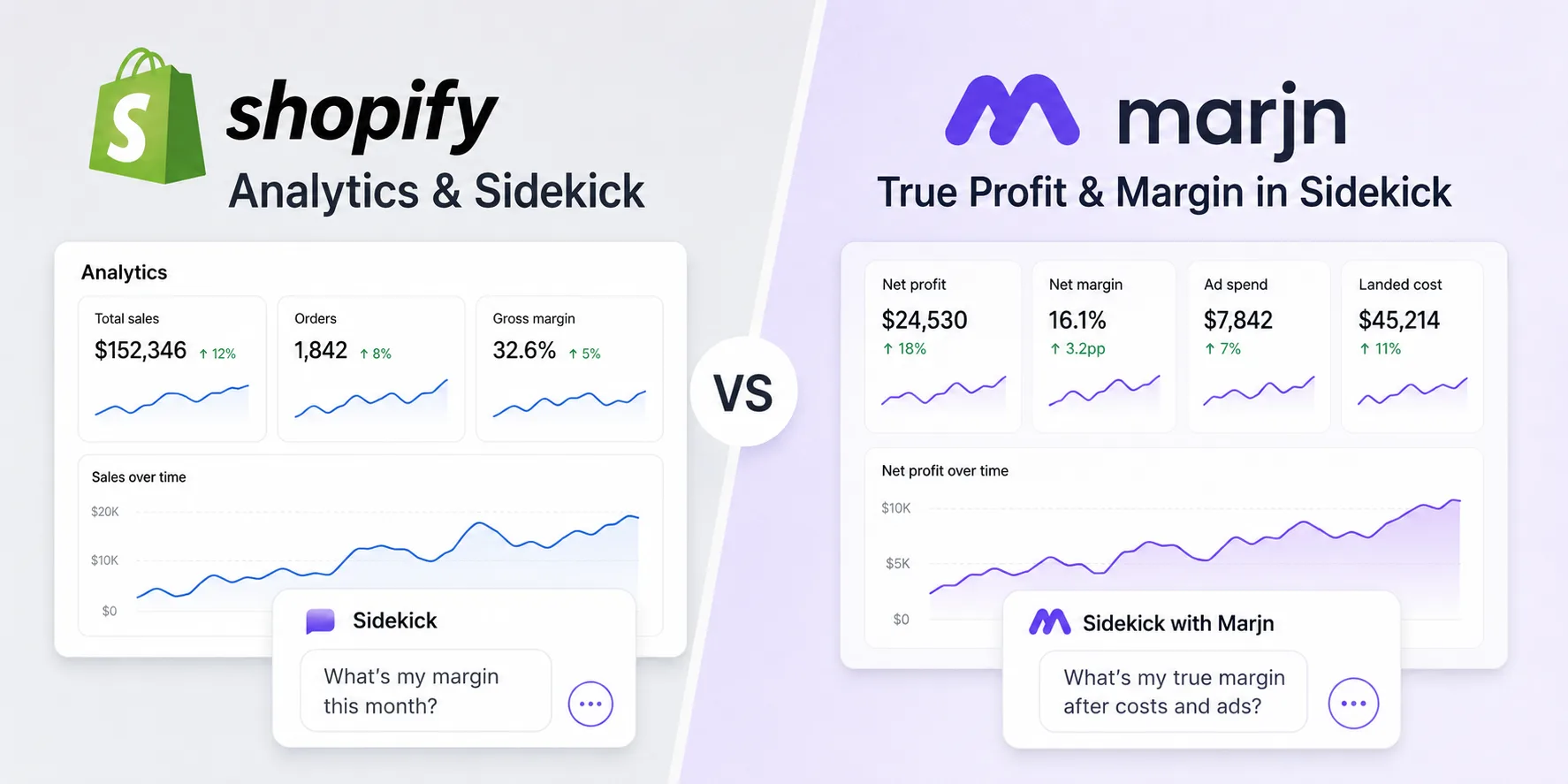
Shopify Analytics and Sidekick: Shopify's own reporting. Analytics shows revenue, orders, and a gross margin if you fill in the Cost per item field on every variant. Sidekick can answer margin questions using that same cost field. Both come with your Shopify plan.
Marjn: a Shopify app that answers profit and margin questions inside Sidekick using data Shopify does not have, your real landed cost and your Meta ad spend. It reports contribution margin per product and across the store, so you can ask which products lose money after ads and get a correct answer instead of a revenue figure.
If the Cost per item field on every product is accurate and you spend nothing on advertising, Shopify's own margin is close enough. The moment either of those is untrue, which is most stores, the number drifts. The rest of this page is where and why.
Why This Comparison Matters
Two blind spots separate a Shopify margin from your real profit, and both are structural, not settings you forgot to turn on.
The first is the Cost per item field. Shopify computes gross margin from whatever number sits in that field. For a print-on-demand or dropshipping catalog it is often blank, or it holds the base product price without the shipping, duties, and fees you actually pay to land the goods. When the input is wrong, the margin Analytics and Sidekick show is wrong in the same direction, and it always looks better than reality.
The second is ad spend. Shopify's margin stops at cost of goods. It has no field for what you spent on Meta to sell the product, so a product that looks profitable on paper can be losing money once you count the ads that moved it. This is the exact trap behind a healthy-looking ROAS that still lost money, which the break-even ROAS breakdown walks through line by line.
Marjn exists to close both gaps: a real landed cost per product for the first, and a live Meta ad-spend feed for the second, so the margin reflects both.
Feature Comparison Table
| Capability | Shopify Analytics + Sidekick | Marjn |
|---|---|---|
| Revenue and order reporting | Yes | Reads Shopify orders |
| Margin from Cost per item field | Yes | Yes |
| Real landed cost override | No | Yes, per product |
| Meta ad spend folded into margin | No | Yes (Pro) |
| True contribution margin per product | No | Yes |
| Answers "which products lose money after ads" | No | Yes |
| Low-margin alerts | No | Yes (Pro) |
| Answered inside Shopify Sidekick | Yes, from the cost field only | Yes, with landed cost and ad spend |
| Price | Included with Shopify | Free plan + $19/mo Pro |
The top rows match on purpose. Marjn does not replace revenue reporting or the cost-field margin; it reads the same Shopify data. The difference is the middle block: landed cost, ad spend, and the margin questions those two unlock. That is the part Shopify was never given the data to answer.
The Sidekick Difference
Marjn does not ask you to learn a new tool. It answers in Shopify Sidekick, the assistant you already ask questions to. Without Marjn, Sidekick estimates margin from the cost field. With Marjn connected, the same question returns a margin that includes your landed cost and your Meta ad spend, because Marjn supplies that data behind the answer.
The practical effect is that the correct number shows up in the place you already look, rather than in a separate dashboard you have to remember to open. You ask "what is my margin on this product after ads" the way you always would, and the answer is the real one.
Where the Profit Dashboards Fit
Marjn is not the only way to see true profit, and it is worth being honest about that. Dedicated profit dashboards like BeProfit, TrueProfit, and Lifetimely are separate apps you open to read charts across every cost line, from shipping to transaction fees to refunds. They are thorough, and if you want a full reporting suite they fit.
Marjn sits at a different spot. It answers the margin question in Sidekick, using landed cost and Meta ad spend, without a second tab to open. If your need is a correct margin answer in the flow of asking, Marjn fits; if your need is a dedicated analytics console, one of those dashboards fits better. The two are not the same layer.
Which One Fits You
Your Cost per item fields are accurate and you run no ads. Shopify's own margin is close, and Sidekick will answer well from the cost field. You may not need anything more.
You are print-on-demand or dropshipping with a blank or base-price cost field. This is where Shopify's margin overstates profit the most. Marjn's landed-cost override is the piece that corrects it.
You run Meta ads. Shopify's margin never counts ad spend, so a product can read profitable and still lose money. Marjn folds the spend in, which is the point at which its answer and Shopify's answer diverge the most.
Pricing
Shopify Analytics and Sidekick come with your Shopify plan, so there is no separate cost. Marjn has a free plan that calculates margins from the product costs already in Shopify and answers them in Sidekick, with no card required. Pro is $19 per month and adds Meta ad spend in the margin, landed-cost overrides for when the cost field is empty or wrong, and low-margin alerts. Every install starts with a 30-day full trial of Pro, so you can see your real numbers before deciding.
See the number Shopify can't show
Connect your landed cost and Meta ad spend, then ask Sidekick your margin. Free plan, 30-day full trial of Pro, no card.
Start with Marjn →