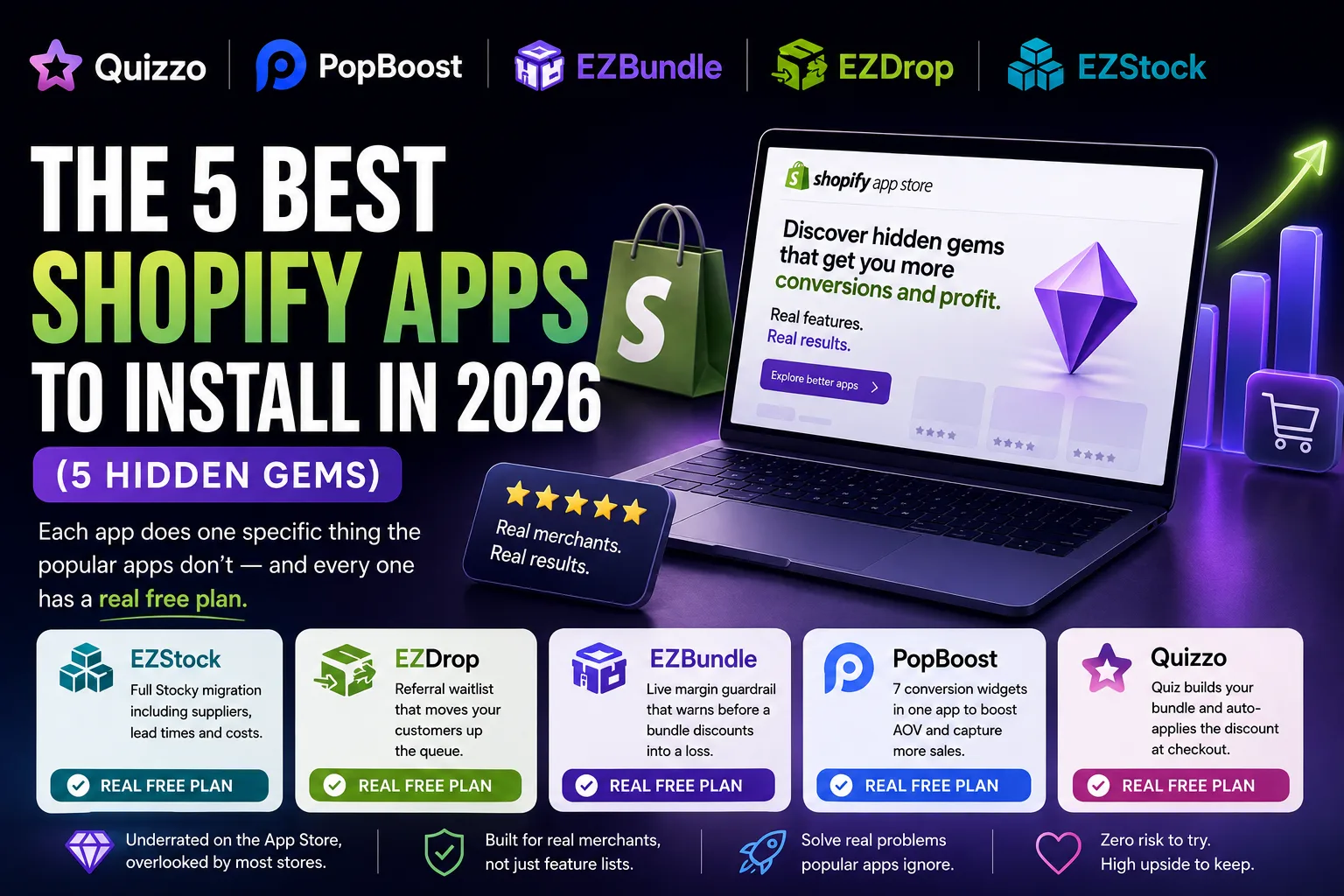
In one line: The five best Shopify apps to install in 2026 are EZstock, which migrates your full Stocky setup including suppliers and costs rather than just purchase orders; EZDrop, a drop waitlist where each friend a customer refers moves them up the queue; EZBundle, which shows true margin after the discount and warns before a bundle sells at a loss; PopBoost, seven conversion widgets in one app instead of five separate installs; and Quizzo, a product quiz that builds a curated bundle and applies the discount automatically at checkout. Each earns its spot on a capability the popular apps do not have, and every one has a real free plan.
Ranked how? By what each app can do, not by how many installs it has. Each one is here because it does a thing the well-known apps in its category can't, and that is what makes it the better app to install. Review and install counts mostly show which app came out first, not which one does the job best.
The short version
- EZstock is the only Stocky replacement that imports suppliers, lead times and per-SKU costs, not just your open purchase orders.
- EZDrop runs a Robinhood-style referral waitlist: refer a friend, climb the queue, and the top of the list gets first access when the drop opens.
- EZBundle reads each product's cost from Shopify and warns you before you publish a bundle that discounts into a loss.
- PopBoost packs seven conversion widgets into one app, and the free plan includes all seven rather than paywalling six of them.
- Quizzo chains a product quiz into a spin-to-win reward, a curated bundle, and an auto-applied discount at checkout with no coupon codes.
Most "best apps" lists are really "most-installed apps" lists. The Shopify App Store sorts a search like "inventory app" or "product bundles" mostly by review count and installs, and both of those just go up with time. An app that came out three years ago and spent on ads sits at the top whether or not it is the best tool for the job. That order is about age, not about what the app can do. So this list drops install count and uses the one thing that matters to your store: the specific job each app can do that the rest of its category can't.
On that measure these five win, and it is not close. Each does one thing the famous apps in its category never built, and that one thing is the reason to install it. I make all five, under the name Extensions Market, so read this as the person who made them telling you where each app beats the big name and why. You can check every claim on the live App Store listing, and every app has a free plan, so you can test it on your own store in an afternoon.
 1. EZstock: the only Stocky replacement that brings your suppliers with you
Shopify is retiring Stocky, the inventory and purchase-order app many stores leaned on for reordering. To be clear about what is and is not going away: Stocky is a separate app that is being discontinued, and Shopify's built-in inventory tracking is untouched and keeps working. What Stocky did that the core admin does not is the reorder loop, the purchase orders, the demand forecasting, and the supplier records that tell you when and how much to buy.
When you go shopping for a Stocky replacement, most inventory apps will happily import your open purchase orders and then leave you to rebuild everything around them by hand. You re-enter every supplier, re-key every lead time, and remap every SKU to its cost. For a catalog of any size that is days of work, and it is the reason a lot of stores put the migration off until it becomes an emergency.
EZstock is the one that imports the parts everyone else drops. From a Stocky export it brings across your suppliers, their lead times, and your per-SKU costs, not just the purchase orders. The reorder loop that Stocky built up over months carries over intact, so on day one EZstock can already tell you what to reorder and from whom, instead of handing you a blank set of tables. Its App Store tagline says it plainly: "Move from Stocky in minutes."
Beyond the migration, it does the day-to-day inventory work: barcode counting with a scanner or your phone camera, PDF purchase orders, demand forecasting from your real sales velocity so you can see how many days of stock you have before a stockout, and inventory that updates when you receive a shipment. It handles large catalogs, into the tens of thousands of SKUs. There is also a newer piece worth knowing about: EZstock answers inventory questions inside Shopify Sidekick. You can ask Sidekick "what should I reorder?" and get a real reorder list, low-stock items, open purchase orders, and supplier lead times back, which native Sidekick cannot tell you because it does not hold that data.
Who it is for: stores leaving Stocky, and any small-to-mid merchant who needs real purchase orders and reorder forecasting instead of a spreadsheet.
Price: free for up to 5 purchase orders a month with unlimited suppliers and products; Starter $19, Growth $49, and Pro $99 a month, each with a 14-day trial.
Move off Stocky without rebuilding your suppliers
EZstock imports your Stocky suppliers, lead times and costs, then counts stock, forecasts demand and reorders with purchase orders. Free plan, no card. Rescue your Stocky data first with the free Stocky Converter.
Get EZstock on the Shopify App Store → 2. EZDrop: a waitlist where referrals move customers up the queue
Most "back in stock" and "coming soon" apps do the same one thing: they collect an email and send a notice when the product lands. That is useful, and it is also where nearly all of them stop. The email list you build is a flat list, and the launch is a single blast to everyone at once.
What sets EZDrop apart is that the waitlist is a competitive, referring queue, not a flat list. A customer joins the waitlist for a drop and gets a personal referral link. Every friend they bring in moves them up the line, on a live leaderboard, and when the drop opens the top of the queue gets first access. The mechanic is the one Robinhood used to famously turn a signup form into a viral loop: your position is public, and you can improve it by recruiting. That turns each person who signs up into a small distribution channel instead of a dead-end email address. The App Store tagline is exact about it: "Each referral moves customers up the queue."
There is a second, quieter feature that ad buyers will appreciate. EZDrop hosts its own drop and share pages, and it fires view and signup events into TikTok, Meta, Google and X from those pages, events your storefront pixels never see because the action happens off your theme. That gives the ad platforms real signup signals to optimize toward, which is hard to get for a pre-launch product that has no sales yet. Payment is never touched; checkout stays native Shopify.
Who it is for: streetwear, sneaker, collectible and creator brands running limited releases and building a pre-launch list that actually grows itself.
Price: free for 1 active drop and 500 entries; Growth $19 a month for 5 concurrent drops and 5,000 entries; Pro $49 a month for unlimited drops and entries. Growth and Pro include a 7-day trial.
Turn your next drop into a referral loop
EZDrop runs a limited-slot drop with a countdown, a referral waitlist that customers climb by inviting friends, and pixel events your storefront cannot fire. Start free with one drop.
Get EZDrop on the Shopify App Store → 3. EZBundle: the bundle builder that stops you discounting into a loss
Bundling is one of the most reliable ways to lift average order value, and it is also one of the easiest ways to quietly sell at a loss. You pick three products, set a tempting discount, and publish, without ever checking what those three items actually cost you. If the discount cuts past your margin on the lowest-margin item in the set, the bundle loses money on every sale, and nothing in a normal bundle app warns you.
The reason to look at EZBundle is a live margin guardrail. As you build a bundle, it reads each component's cost from Shopify's own cost-per-item field, or a manual override you set, and shows your true margin after the discount in real time: green when you are above your target, amber when it is thin, red when the bundle would sell at a loss. If you cross the line it does not just color a number. It names the lowest-margin product in the bundle, the one dragging you under, and tells you the price or discount that brings the whole bundle back above your margin floor. You set that floor yourself; the default is 15 percent. In a category full of apps that treat a bundle as pure upside, it is the only one I know of with a "true margin at build time" column. Its tagline is the promise in five words: "See true margin before you discount."
To keep this honest and separate from a sister app: EZBundle's margin math is build-time and cost-based only. It looks at the product cost against the discounted price. It does not fold in ad spend, shipping or landed cost across a whole order; that store-wide profit view is a different tool. EZBundle's job is narrow on purpose: stop a single bundle from being underwater before you hit publish.
The rest is a full bundle builder: fixed bundles, mix-and-match, and buy-more-save-more volume tiers, with the discount applied automatically and a widget that installs on your product pages with no theme-editor setup.
| Bundle app | Typical monthly price | True margin at build time |
|---|---|---|
| EZBundle | Free to $19 | Yes, live guardrail that warns before a loss |
| BOLD Bundles | ~$19.99 | No |
| Bundler | ~$9.99 | No |
| Fast Bundle | ~$19 | No |
Who it is for: merchants who bundle to raise average order value but want to know they are not giving away margin to do it.
Price: free for 1 fixed bundle with a basic guardrail; Starter $9 a month for up to 5 bundles with mix-and-match and margin warnings; Growth $19 a month for unlimited bundles, analytics and custom margin targets. Starter and Growth include a 7-day trial.
Build bundles that never sell at a loss
EZBundle reads your product costs from Shopify and shows the true margin after your discount as you build, warning you before a combo goes underwater. Start free.
Get EZBundle on the Shopify App Store → 4. PopBoost: seven conversion widgets that would normally be five apps
The usual way stores add urgency and social proof is to install one app for the sales-notification popup, another for the countdown timer, a third for product badges, a fourth for the free-shipping bar, and so on. Each one is a separate subscription, a separate script loading on your storefront, and a separate thing to configure. The stack gets expensive and it gets heavy.
PopBoost earns its place by being seven conversion widgets in a single app: a social-proof and recent-sales popup, a countdown timer, a stock countdown bar, product badges, an announcement bar, a free-shipping progress bar, and an exit-intent popup. One install, one subscription, one place to manage all of it. What makes the free plan unusually generous is that it includes all seven widgets, not a locked-down one or two; the only limit is that you run one widget at a time on the free tier, with a small PopBoost badge. Paying lifts the "one at a time" cap and removes the badge, rather than being the only way to unlock the features at all. The tagline sums up the pitch: several tools "in 1."
Because everything lives in one app, the widgets share a design system and match your theme together, instead of four unrelated apps each rendering in their own style. Of the whole set, its strongest and most natural search term is the social-proof popup, which is a fair place to start if you only want one thing switched on.
Who it is for: small and mid stores that want the standard conversion levers without stacking and paying for five single-purpose apps.
Price: free forever with all seven widgets, one active at a time and a small badge; Pro $19 a month to run all seven at once and remove the badge, with a 14-day trial.
Replace five conversion apps with one
PopBoost gives you social proof, countdowns, badges, an announcement bar, a free-shipping bar and exit-intent in a single app. The free plan includes all seven widgets.
Get PopBoost on the Shopify App Store → 5. Quizzo: a product quiz that ends in an auto-applied bundle discount
Product quizzes are a proven way to help a shopper who does not know exactly what they want, and most quiz apps do the front half well: they ask questions and recommend products. Where they tend to stop is at the recommendation. The shopper gets a list, and then has to go add things to the cart themselves, and any discount you promised depends on them entering a code.
Where Quizzo goes further is that it takes the shopper all the way to the end. They answer the quiz, spin a prize wheel for a reward, get a bundle of items matched to their answers, and the bundle discount is added at checkout on its own, with no coupon code, using a Shopify Function. The reward can never go past a limit you set, up to 50 percent, so a spin will never give away more than you allow. Nobody else puts those four steps, quiz, spin, bundle, and automatic discount, into one flow. Its tagline says it: the quiz "recommends the right items and builds a bundle, discounted at checkout."
It works for any kind of store, not just one niche, and it can build a quiz from your products for you or let you make one by hand. The result is a fun product finder that does not just suggest items but puts the bundle together and prices it for the shopper, which is where the boost in order value comes from.
Who it is for: any store that wants a guided, playful product finder that turns answers into a priced bundle instead of a plain recommendation list.
Price: a single plan at $19 a month with a 3-day trial.
Turn a quiz into a checkout-ready bundle
Quizzo walks a shopper from quiz to spin-to-win to a curated bundle, with the discount applied automatically at checkout. Works for any product category.
Get Quizzo on the Shopify App Store →How to judge an app that has almost no reviews
The obvious objection to this whole list is the review counts. Four or five of these apps have next to none. That is a fair thing to notice and a bad thing to decide on, because review count is mostly a clock. It measures how long an app has been installed and how much its maker has spent getting in front of merchants. It does not measure whether the app does your job well. Plenty of apps with hundreds of reviews earned them years ago and have coasted since; plenty of new apps do a specific thing better than anything on the first page of results and simply have not been found.
So judge a low-review app the way you would judge a contractor with no Yelp page yet: on the work, not the star count. Three checks do most of the job. Install the free plan and run it against your real store, not a demo, so you see how it behaves on your data. Send support a real question before you commit and see how fast and how well they answer, because on a small app you are often talking to the person who built it. And read the feature list literally, testing the one claim that matters to you rather than the marketing. Every app here has a genuine free plan precisely so this kind of trial costs you nothing.
Which one to install first
These are five separate apps for five separate jobs, so the right first install is simply whichever problem is loudest in your store this month. If you are staring down the Stocky retirement, start with EZstock and rescue your data before the deadline. If you have a launch coming, EZDrop turns the run-up into a growing list. If your average order value is flat, EZBundle and Quizzo both attack it from different angles, one through combos, one through a guided quiz. If your product pages feel quiet, PopBoost adds the urgency and proof layer in a single install.
They do share one thing worth knowing: because I build all five, they use the same design language and one support contact, and each reads your live Shopify data directly rather than syncing private copies between apps, so their numbers never disagree. If you want the fuller picture of how they fit together as a single-vendor stack, I wrote that up separately in the one-vendor Shopify app stack. But nothing here needs the others to be worth installing. Each earns its place on the one feature the popular apps left out.
Frequently asked questions
Are Shopify apps with few reviews worth installing? Review count mostly tracks how old an app is and how much its maker spends on marketing, not how good the product is. A new app can do a job better than one with hundreds of reviews and simply not have been found yet. The honest test is to install the free plan, try it on your own store, and see whether support answers. Every app in this list has a genuine free plan for that reason.
Which Shopify app replaces Stocky? EZstock is built as a Stocky replacement. Unlike most inventory apps it imports your suppliers, lead times and per-SKU costs from a Stocky export, not just your purchase orders, so the reorder loop carries over instead of being rebuilt by hand. Stocky is the app being discontinued; Shopify's built-in inventory tracking is unaffected and keeps working.
Do these five apps work together? They are five separate apps that each do one job, built by the same developer, so they share a design language and one support contact. They do not sync private data between each other. Each reads your live Shopify data directly, which is why their numbers never conflict. Install any one on its own or run all five.
How much do all five apps cost together? Every one has a free plan, so you can run the whole set for nothing to start. If you moved each to its top paid plan, the total is about $205 a month, but most stores run a mix of free and one or two paid plans. Each plan is a flat price and does not go up as your sales grow.
What makes each of these apps a hidden gem? Each has one feature its popular rivals skip. EZstock migrates your full Stocky setup including suppliers and costs. EZDrop runs a referral waitlist where each friend a customer refers moves them up the queue. EZBundle shows true margin after the discount and warns before a bundle sells at a loss. PopBoost puts seven conversion widgets in one app instead of five. Quizzo turns a product quiz into a curated bundle with the discount applied automatically at checkout.