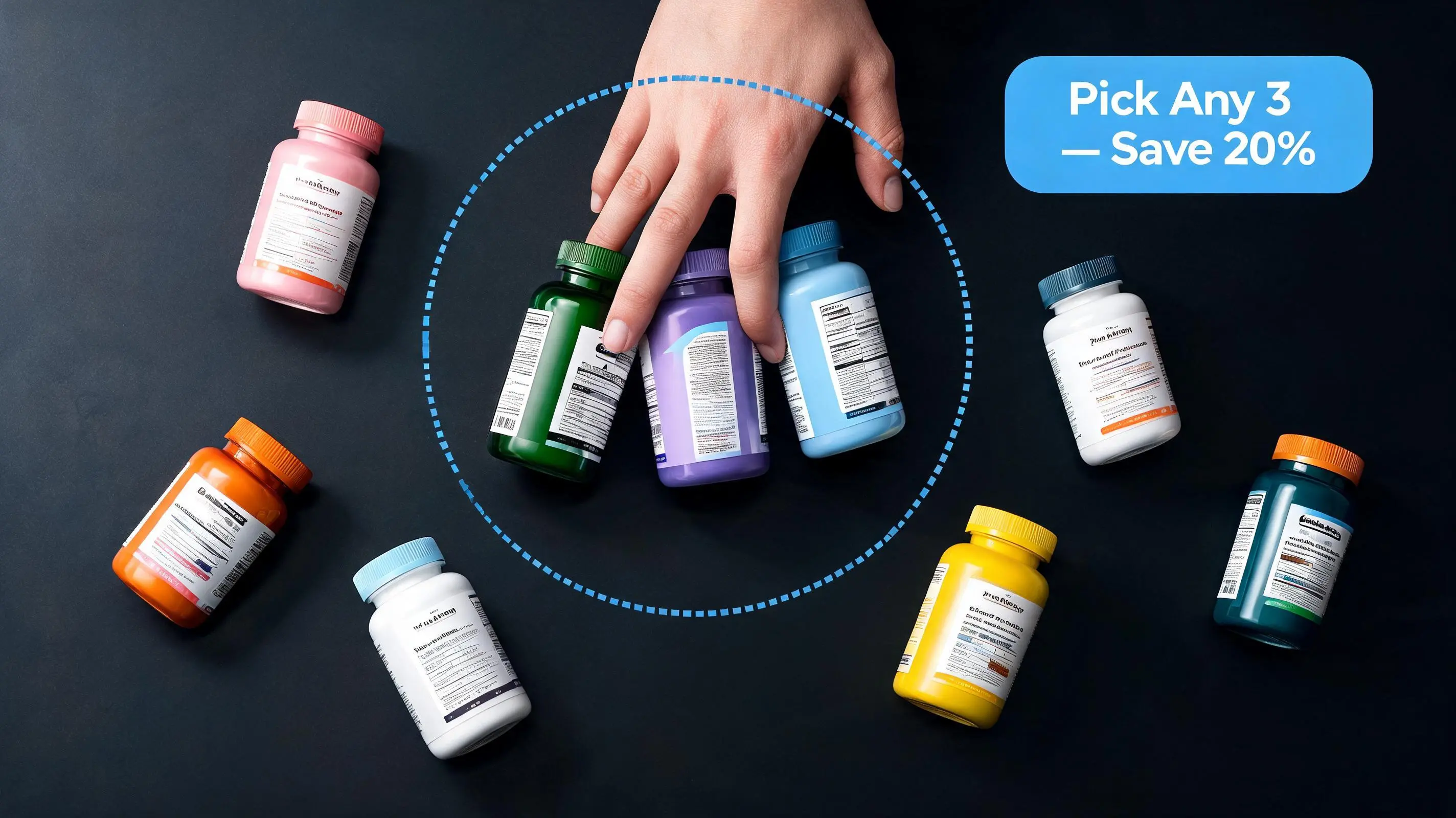
What is a mix-and-match bundle?
A mix-and-match bundle is a type of product bundle where the merchant defines a pool of eligible products (typically a Shopify collection) and a minimum quantity threshold, and the customer selects which specific items they want. The customer builds their own combination; the merchant sets the rules.
This is distinct from a fixed bundle, where the merchant pre-selects the exact product combination. With a fixed bundle, "The Morning Routine Kit" means exactly Cleanser + Toner + Moisturizer — full stop. With a mix-and-match bundle, "Build Your Skincare Routine — Any 3 for 15% Off" means the customer picks their preferred cleanser variant, their preferred toner, and their preferred moisturizer (or substitutes any of them for other products in the skincare collection).
The psychological mechanism is different too. Fixed bundles work through curation — the merchant's expertise guides the customer to the right combination. Mix-and-match bundles work through autonomy — customers feel more committed to a purchase they built themselves, and less resistant to spending more because the choice was theirs.
When mix-and-match outperforms fixed bundles
M&M bundles consistently outperform fixed bundles in specific conditions. Understanding those conditions helps you decide which type to deploy first — and when to run both simultaneously.
High SKU count within a category
If you have 12 protein bar flavors, 20 candle scents, or 30 t-shirt color/style combinations, a fixed bundle immediately alienates any customer who dislikes one of the preset items. M&M solves this by letting each customer include only the items they actually want. The more SKUs you have within a category, the stronger the case for M&M.
Strong personal preferences
Some product categories are deeply preference-driven. Fragrance, supplement flavoring, apparel style, and food flavors all fall into this category. A supplement customer might love your whey protein but hate the flavor you put in a fixed bundle. An M&M bundle that says "pick any 3 proteins from our collection" converts that same customer by letting them pick their 3 preferred flavors.
Variety-seeking behavior
For categories where customers want variety — different flavors to rotate through, different scents for different rooms, different styles for different occasions — M&M bundles directly serve that intent. "Build a 6-pack of your favorite flavors" is a more compelling offer than "here's a preset 6-pack we chose" for variety-seeking customers.
Gift-giving with uncertainty
When customers are buying for someone else, they're often uncertain about specific preferences. An M&M bundle lets gift-givers curate a personal selection rather than accepting a preset they're not sure the recipient will like. "Build a custom gift set — choose any 4 items from our collection" is a gift-purchase conversion driver that fixed bundles can't match.
When fixed bundles are the better choice
M&M is not universally superior. Fixed bundles outperform in situations where:
- Complementary specificity is high — when a specific product A genuinely requires product B to function well (a camera body with its battery grip, a skincare acid with its neutralizing moisturizer), a fixed bundle communicates expertise and reduces decision fatigue.
- New-customer onboarding — a fixed "Starter Kit" tells a first-time buyer exactly what they need to get started. M&M forces a decision that a new customer may not be equipped to make ("I don't know which 3 supplements to pick").
- Gift sets with curation value — when the curation itself is part of the value proposition ("our expert-curated wellness kit"), the fixed selection is a feature, not a limitation.
- Low SKU count — if you have 4 products in a category, M&M adds complexity without meaningfully expanding options. A fixed bundle covering all 16 products is simpler to set up and understand.
For a complete niche-by-niche breakdown of which bundle type wins across apparel, supplements, beauty, home goods, electronics, and food, see Product Bundle Strategy for Shopify: Which Bundle Type Fits Your Store.
How collection-based M&M matching works in EZBundle
The technical foundation of M&M bundles in EZBundle is collection-based matching — a system that automatically shows the right M&M bundle on the right product pages without any per-product configuration.
Here's how it works end-to-end:
- Collection as the bundle pool — When you create an M&M bundle in EZBundle, you assign it to a Shopify collection. Every product in that collection becomes eligible for the bundle.
- Liquid reads collection GIDs — EZBundle's theme extension block (bundle-widget.liquid) reads the current product's collection GIDs directly from Shopify's Liquid context. These are Shopify's unique identifiers for each collection the product belongs to.
- Proxy endpoint matching — The widget calls EZBundle's app proxy:
/apps/ezbundle/bundle?product_id=...&collection_ids=.... The server checks if any active M&M bundle covers one of those collection GIDs. If yes, it returns the bundle data. - Widget renders automatically — The storefront widget displays the M&M offer with the bundle name, discount, and minimum quantity. No per-product configuration needed.
- Multiple M&M bundles — If you have multiple M&M bundles across different collections, the proxy matches to the correct one per product. A product in the "Skincare" collection gets the skincare M&M bundle; a product in the "Supplements" collection gets the supplements M&M bundle. They coexist without conflict.
Setting up a mix-and-match bundle in EZBundle: step by step
Create your collection in Shopify
In Shopify admin, go to Products → Collections → Create collection. Add all products the customer will be able to choose from. Use automatic conditions (tag, product type) or manually add products. The collection doesn't need to be visible in your store navigation — it just needs to exist and contain the right products.
Create an M&M bundle in EZBundle
In the EZBundle admin, click "Create Bundle" → "Mix & Match." Name the bundle (this name appears on the storefront widget, so make it customer-facing — e.g., "Build Your Supplement Stack"). Select your collection from the collection picker.
Set quantity and discount
Set the minimum quantity (e.g., 3 items). Choose your discount type: percentage or fixed amount. For tiered discounts (buy 2 save 10%, buy 3 save 15%), create multiple M&M bundles on the same collection with different quantity thresholds — the widget shows the best applicable deal.
Activate and verify
Activate the bundle. EZBundle creates the discount code automatically using Shopify's discountCodeBasicCreate mutation with { all: true } scope (applies to any products). Visit a product page that belongs to your target collection and confirm the M&M widget appears.
Add the widget to your theme
If not already added: Online Store → Themes → Customize → navigate to a product page → add the EZBundle app block from the "Apps" section. Save. The widget appears on all products in the collection automatically.
Pricing strategies for mix-and-match bundles
Pricing M&M bundles requires balancing three factors: the discount must feel meaningful to the customer, it must stay profitable for you, and the minimum quantity threshold must be achievable without excessive resistance.
Flat discount at a fixed quantity
The simplest structure: "Buy any 3, save 15%." This works when most of your customers naturally purchase in groups of 3+ anyway, and you want a simple, clear proposition. Easy to understand, easy to market.
Tiered discount by quantity
The most AOV-maximizing structure: "Buy 2 save 10%, buy 3 save 15%, buy 4 save 20%." Each tier encourages the customer to add one more item to unlock the next savings level. This "just one more" psychology is particularly powerful for consumables and variety-seeking products. Create a separate EZBundle M&M bundle for each tier, all pointing to the same collection.
Fixed-amount discount
"Pick any 4, save $15." Fixed-amount discounts work best when your products have a relatively consistent price point (so the discount percentage is meaningful for all combinations) and when you want to anchor to a specific dollar amount in your marketing ("save $15 when you bundle"). For products with variable pricing, percentage discounts are more equitable.
Setting the right minimum quantity
The minimum quantity is the single most important M&M variable for conversion. Set it too high (6 items) and customers feel the bar is out of reach. Set it too low (1 item) and there's no bundle dynamic at all. The optimal range for most categories is 2–4 items. For consumables and variety-driven products, 3–6 works well because customers genuinely want variety. For higher-priced items, keep it at 2–3.
| Product type | Recommended min qty | Discount range |
|---|---|---|
| Supplements / vitamins | 3–4 | 15–20% |
| Candles / home fragrance | 3–4 | 15–20% |
| Apparel (T-shirts, basics) | 2–3 | 10–15% |
| Skincare / beauty | 3–4 | 10–20% |
| Food / snacks / beverages | 4–6 | 10–18% |
| Stationery / accessories | 2–3 | 10–15% |
Bundle naming that converts
The name you give an M&M bundle appears in the storefront widget and is the first thing customers read. The framing matters significantly.
Action-oriented framing works best: "Build Your Stack," "Create Your Set," "Mix Your Flavors," "Design Your Bundle." These frames activate the customer's agency — the bundle becomes something they're creating, not something being sold to them.
Avoid generic names: "Bundle Deal" or "Multi-Pack Offer" are forgettable and don't communicate what the customer is getting. Be specific: "Pick Any 3 Protein Flavors" or "Build Your 4-Piece Skincare Routine" communicates both the product category and the action.
Lead with the benefit for value-focused customers: "Save 20% — Pick Any 4 Supplements" works better than "Pick Any 4 Supplements — Save 20%" for stores where the discount is the primary conversion driver. Lead with the incentive, end with the action.
M&M widget placement for maximum conversion
M&M widgets have a slightly different ideal placement than fixed bundle widgets. Because M&M bundles require the customer to actively build their selection, they benefit from being placed where customers are in a browsing/selecting mindset — not just a buying mindset.
The highest-converting M&M placement is typically below the product description but before the main add-to-cart button. This position catches customers who've read about the product and are deciding whether to buy — the M&M offer gives them a reason to buy more than one item right at that moment.
For higher average order values, adding a second M&M widget in the cart page — "Add more to complete your bundle" — captures customers who added a single item and then reconsidered. Pairing this with a free shipping bar from PopBoost creates a dual-incentive structure: save X% with the M&M bundle AND unlock free shipping above a threshold. The combination is powerful for lifting cart values on their final decision.
Common M&M bundle mistakes to avoid
Collections that are too broad
An M&M bundle pointing to "All Products" sounds appealing but creates friction — customers don't know where to start, and the bundle widget on a camping tent product page showing a supplement discount feels irrelevant. Keep M&M bundles scoped to coherent product categories. One collection per bundle type keeps relevance high.
Quantity thresholds that exceed natural purchase intent
If your analytics show that the average customer buys 1.3 items per session, a "buy 5 to save" M&M bundle will convert at near-zero. Analyze your order history first: what's the 75th percentile quantity for orders in this category? Set your minimum quantity at or slightly above that number. You want customers to feel they're getting a deal on what they were already planning to buy, with a slight nudge to add one more.
Forgetting to add products to the collection
When you add new products to your store in a category covered by an M&M bundle, remember to add them to the corresponding collection. If they're not in the collection, the widget won't appear on their product pages. Using an automatic collection (based on product tag or type) solves this — new products with the right tag are automatically included.
Running M&M bundles alongside fixed bundles
M&M and fixed bundles serve different customer intents and can coexist on the same store — even on the same product pages. EZBundle's widget system handles both: if a product belongs to a collection covered by an M&M bundle AND is included in a fixed bundle, the widget shows whichever match is more specific (fixed bundles take priority when the product is explicitly included).
A common combined strategy: run a fixed "Starter Kit" bundle targeting first-time customers (use specific hero products they'd likely buy first) alongside an M&M bundle for repeat customers who already know what they like. The fixed bundle converts the undecided; the M&M bundle converts the decisive.
To understand how this fits into your overall AOV and revenue strategy, see How to Increase Average Order Value on Shopify: 7 Proven Strategies.
Frequently asked questions about mix-and-match bundles on Shopify
What is a mix and match bundle on Shopify?
A mix and match bundle on Shopify is a bundle type where the customer chooses which products they want from a merchant-defined collection or pool. The merchant sets the minimum quantity and discount; the customer makes the specific selections. It differs from a fixed bundle, where the merchant pre-selects the exact combination.
How do I set up a mix and match bundle on Shopify?
Install EZBundle, create a Shopify collection with your eligible products, create an M&M bundle in EZBundle pointing to that collection, set your quantity and discount, and activate. The widget appears automatically on all product pages in the collection via EZBundle's Theme App Extension — no code needed.
When should I use mix and match instead of a fixed bundle?
Use M&M when your store has many SKUs in one category and customers have strong personal preferences. If customers would object to a specific preset combination, M&M removes that objection. Use fixed bundles when the specific combination is part of the value (complementary products, starter kits, gift sets where curation matters).
Can you do mix and match bundles on Shopify without coding?
Yes. EZBundle uses a Theme App Extension (Shopify's official no-code extension system) to deliver M&M bundles without any Liquid editing or developer involvement. Setup is entirely within the EZBundle admin and the Shopify theme editor.
What discount should I offer for a mix and match bundle?
For most product categories, 10–20% for 3+ items is the sweet spot. Tiered discounts (10% for 2, 15% for 3, 20% for 4) are the highest-converting structure because they create a "one more item" nudge at each threshold. Keep the minimum discount meaningful — below 8%, the incentive is often too weak to change purchase behavior.
How does EZBundle match M&M bundles to product pages automatically?
EZBundle's Liquid widget reads each product's collection GIDs at render time and sends them to the app proxy. The proxy checks if any active M&M bundle covers those collections. If a match exists, the widget renders automatically. No per-product configuration needed — adding a product to the collection is sufficient to trigger the widget display.
For setup fundamentals, see the complete Shopify product bundle guide. To understand discount pricing for M&M bundles, see the Shopify bundle discount guide. To maximize M&M conversion with urgency and social proof, combine EZBundle with PopBoost's countdown timer and social proof widgets — the combination of deal urgency and peer validation is particularly effective for M&M bundles.