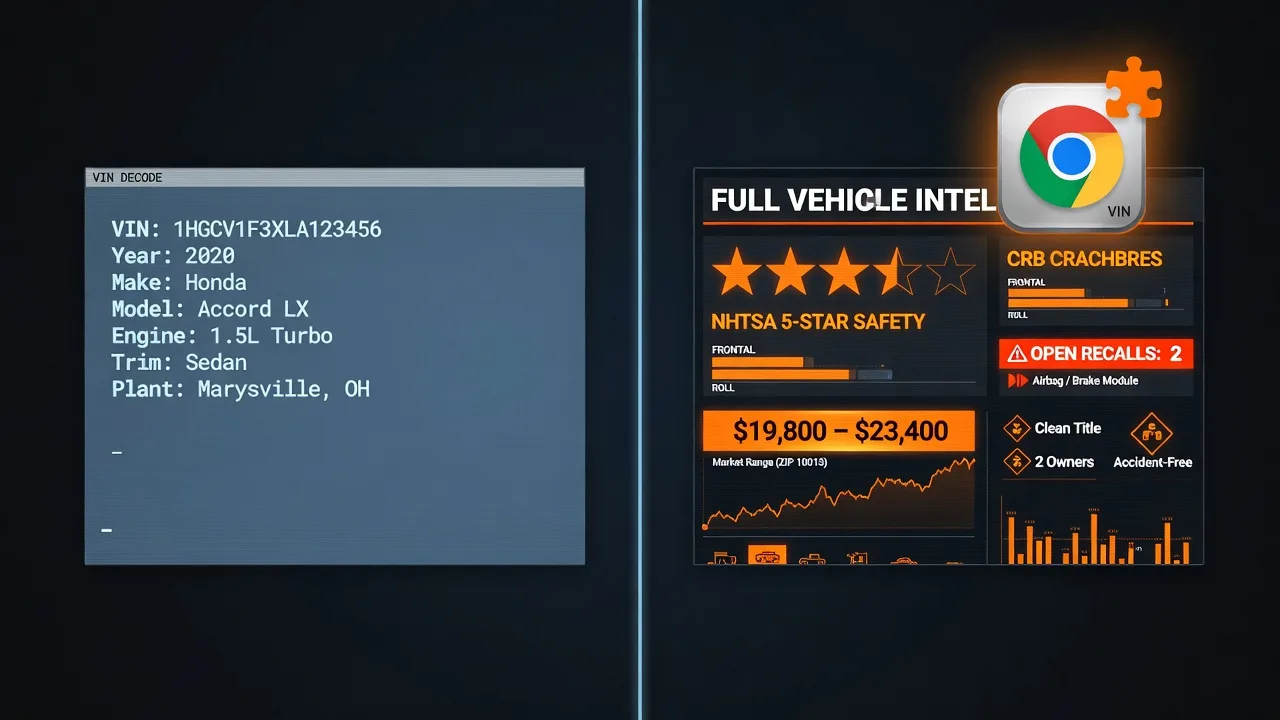
What a VIN decoder actually needs to tell you
A VIN (Vehicle Identification Number) is a 17-character code stamped on every car sold in the US since 1981. The first characters encode the manufacturer, country of origin, and vehicle type. The remaining characters encode the model year, plant, trim, engine, and serial number.
A basic VIN decoder tells you the year, make, model, and trim. That's useful for confirming a listing is accurate, but it doesn't protect you from anything. What actually protects you:
- NHTSA safety ratings — official crash test results for that exact vehicle
- Open recalls — whether the car has unresolved safety issues the manufacturer is required to fix for free
- Real market value — what the car is actually worth, so you don't overpay
- Fuel economy — real cost of ownership beyond the sticker price
Most VIN decoders stop at step one. The tools worth using don't.
The comparison
We looked at the Chrome extensions available in 2026 that surface VIN data while browsing car listings. Here's what each one actually delivers:
| Extension | VIN Decode | Safety Ratings | Recall Check | Market Value | Fuel Economy | Free? |
|---|---|---|---|---|---|---|
| CarWise | ✓ | ✓ NHTSA | ✓ Open only | ✓ Built-in | ✓ EPA data | ✓ 5/mo free |
| Generic VIN Decoder extensions | ✓ Basic | ✗ | ✗ | ✗ | ✗ | ✓ |
| Carfax (paid service, not extension) | ✓ | ✗ | ✓ | ✓ | ✗ | $40/report |
| AutoCheck (paid service) | ✓ | ✗ | ✓ | ✓ | ✗ | $28/report |
| NHTSA website (manual) | ✓ | ✓ | ✓ | ✗ | ✗ | ✓ Free |
What makes CarWise different from a basic VIN decoder
Most "VIN decoder" tools are wrappers around NHTSA's vPIC API. They decode the VIN and show you the vehicle's specs. That's useful for confirming a listing is honest — but it doesn't tell you whether the car is safe, recalled, or priced fairly.
CarWise goes further because it integrates three separate government datasets into a single panel that appears while you browse:
1. NHTSA vPIC — vehicle decode
The VIN decode pulls from NHTSA's official Vehicle Product Information Catalog. You get make, model, trim, engine size, body style, drivetrain, and factory specifications for the exact vehicle — not an approximation.
2. NHTSA safety ratings
The 5-star safety rating system covers overall crash safety, frontal crash, side crash, and rollover resistance. These are tested by the government, not the manufacturer. A car can look pristine and have a 2-star rollover rating. You won't find this in the listing.
3. NHTSA recall database
The recall check queries NHTSA's public recall database and returns all open safety recalls. Open means the issue hasn't been fixed at a dealer — the recall exists but the remedy hasn't been applied to this specific vehicle. Buying a car with an open recall means you're buying a known safety problem.
4. Market value estimate
CarWise calculates private party, trade-in, and dealer retail ranges using manufacturer-specific depreciation curves adjusted for vehicle age and mileage. It's not a Carfax report, but it gives you an immediate sense of whether the asking price is reasonable.
5. EPA fuel economy
The EPA MPG data shows city, highway, and combined fuel economy for the exact trim you're looking at. A 5 MPG difference between two similar vehicles adds up to thousands of dollars over 5 years of ownership.
When to pay for Carfax vs. use CarWise
Carfax and AutoCheck exist to give you vehicle history — accidents, number of previous owners, service records, whether it's been titled as salvage or flood-damaged. That's genuinely useful for a serious purchase and CarWise doesn't replicate it.
The right workflow for a serious used car purchase:
- Use CarWise to run a free check on every listing you're browsing — rule out bad recalls, poor safety ratings, and overpriced vehicles
- For the 1–2 vehicles you're serious about, pay for a Carfax or AutoCheck report to get the accident and ownership history
Carfax at $40/report makes sense for your final candidate. It doesn't make sense to run on every listing you look at. That's what CarWise is for.
How to install CarWise and run your first VIN check
The setup takes under a minute:
- Install CarWise from the Chrome Web Store — free, no account required to start
- Navigate to any listing on CarMax, Carvana, AutoTrader, Cars.com, CarGurus, KBB, Edmunds, or Craigslist
- Click the CarWise icon in your Chrome toolbar — the panel opens with the VIN already loaded from the listing
- Results appear in seconds: VIN decode, safety rating, open recalls, market value, fuel economy
You get 5 free scans per month. If you're comparing more than 5 vehicles at once, the Pro plan gives you unlimited scans.
Stop guessing. Start knowing.
CarWise runs a full VIN check — safety ratings, recalls, and market value — in under 10 seconds on any listing page.
Add CarWise to Chrome — Free →5 free scans/month · No credit card · Works on 11 sites