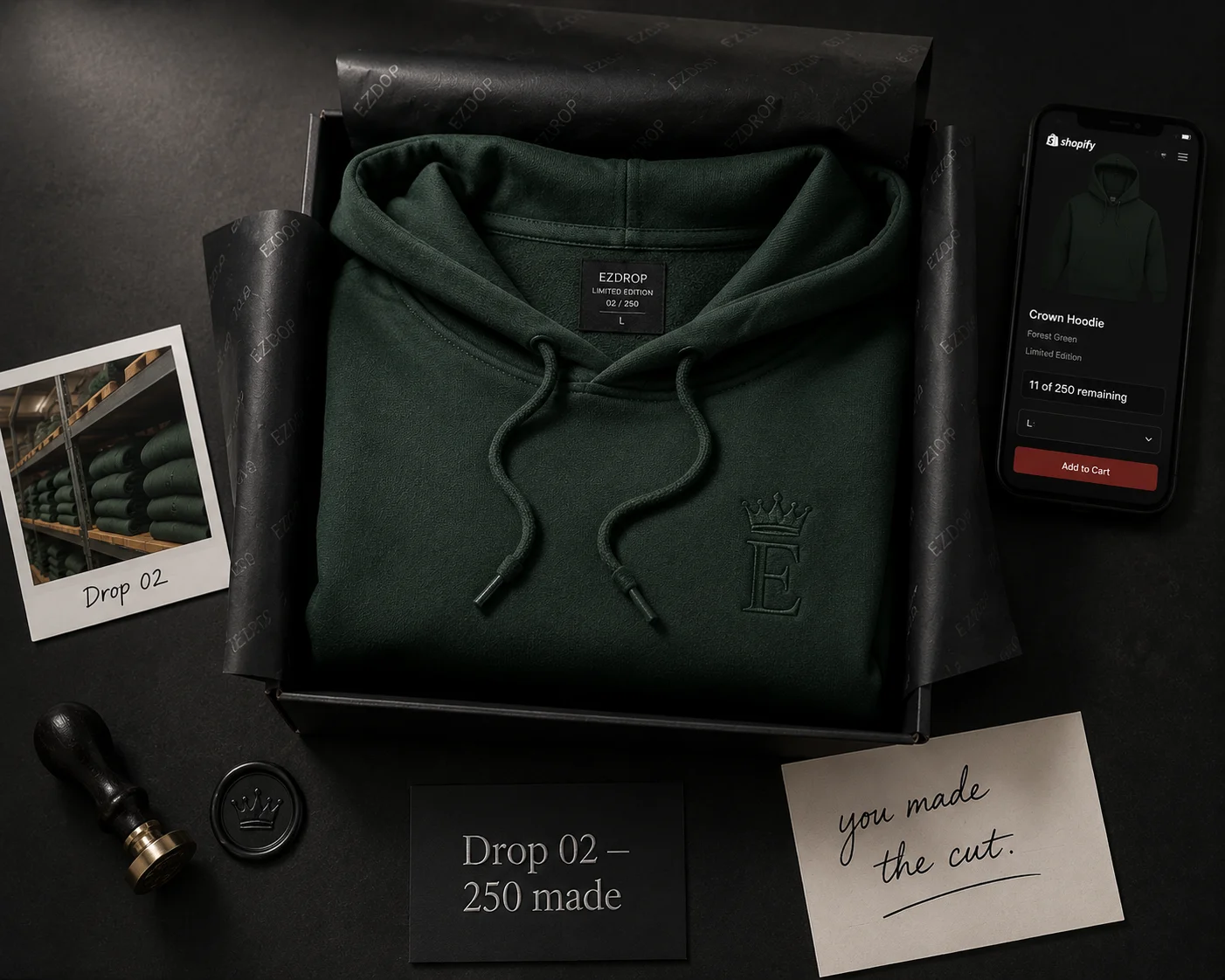
Why Limited Edition Works as a Business Model
Most ecommerce businesses are built on always-available inventory — more SKUs, more channels, more ads to push volume. The limited edition model runs on different mechanics: fewer products, higher prices, sell-out velocity as a marketing asset, and demand that compounds between releases.
The core mechanic: when a drop sells out, that event is recorded. "Drop 3 sold out in 14 minutes" becomes a piece of social proof that makes Drop 4 more desirable before it's announced. Customers who missed Drop 3 are now motivated to get on the Drop 4 waitlist early. Customers who succeeded at Drop 3 share that they got it. Both groups build the brand for you at no acquisition cost.
This is why Supreme, Palace, Travis Scott merchandise, and limited sneaker releases have built businesses worth hundreds of millions of dollars on the back of 20-minute sell-out windows. The model works at any scale — a $200K/year DTC brand can use the same mechanics as a $200M streetwear label.
| Product Type | Recommended Price Premium | Scarcity Signal |
|---|---|---|
| Apparel (collab / special colorway) | 20–40% above standard | Unit cap: 50–200 pieces |
| Sneakers / footwear | 30–60% above standard | Unit cap: 25–100 pairs |
| Beauty / skincare | 15–25% above standard | Unit cap: 100–500 units |
| Home goods / décor | 25–50% above standard | Unit cap: 20–50 units |
| Food / beverage (seasonal) | 10–20% above standard | Time-limited, not unit-capped |
| Digital / NFT-adjacent | 50–200% above standard | Token-based scarcity |
| Subscription box (exclusive tier) | 15–30% above standard | Member-only access |
How to Price a Limited Edition Product
Limited edition pricing should be set at a premium over your standard line, calibrated by the strength of your brand's existing demand signal and the degree of genuine scarcity. Three common structures:
Key pricing rule: the premium funds the lower production run. A higher per-unit price on 200 units should match or exceed the margin of a standard run of 2,000 units at a lower price. If it doesn't, you're leaving money on the table and taking on more demand risk than necessary.
Limited run: 250 units × $X margin = $80,000
→ X = $320 margin per unit (price at $380–420 if COGS is ~$80)
This doesn't mean every limited edition needs to have a $400 price point — it means the margin math should work at your chosen unit count before you commit to the production cap.
Choosing Your Unit Count
The right unit count creates genuine competition without so much scarcity that even your most loyal customers can't get the product. A practical framework:
- Target a 2:1 to 4:1 waitlist-to-unit ratio. If your waitlist has 400 members, produce 100–200 units. This creates real competition — roughly half to three-quarters of the waitlist will miss out, which motivates referral sharing and creates a pool of unsatisfied demand for the next drop.
- Don't go below 1.5:1. If waitlist members are almost guaranteed to get the product, the queue mechanic loses its urgency. The competition needs to be real for the referral incentive to work.
- Announce the number before launch. Stating "300 units" when you open the waitlist is a commitment that builds credibility when you sell out. Don't reveal the number only at launch — announce it at the start of the waitlist window so subscribers can see the ratio and understand their position matters.
- Reserve 5–10% for replacements. Shipping damage, quality rejects, and order errors happen. Keep 5–10% of production aside. These are not for sale — they're for logistics. If you produce 200 and announce 200, you'll be short when 8 units are damaged in transit.
Shopify Setup for a Limited Edition Drop
Shopify's default settings aren't optimized for drops. Configure these before launch:
Building the Waitlist Before Launch
The waitlist is where limited edition drops are won or lost. A 2-week waitlist window with active referral mechanics can grow a list of 100 interested customers into 800 — organic, zero ad spend.
The Launch Sequence
Limited edition drops require a specific sequence to preserve the queue advantage your waitlist members earned. Execute in this order — every time, without exception:
- Publish the product page in Shopify (change from Draft to Active)
- Trigger the drop launch in EZDrop dashboard — batch notifications go to highest-ranked subscribers first
- Send your Klaviyo launch campaign to the full waitlist (or confirm the Klaviyo flow has fired)
- Wait 30–60 minutes — top-ranked subscribers are purchasing now
- Announce on social media — Instagram, X, TikTok, Discord, community channels
- Monitor inventory in real time — when it hits zero, the sold-out state activates automatically
Record the sell-out time. "Sold out in 22 minutes" is marketing content for your next drop. Screenshot your Shopify order timeline showing the first and last order timestamps. Post this publicly after the drop closes — it becomes the social proof that builds demand for Drop N+1.
Building Demand Between Drops
The gap between drops is where most limited edition brands fail. Silence between releases lets demand cool. Here's what to do in the weeks between drops:
- Share the sell-out data publicly. Post the sell-out time, the waitlist-to-purchaser ratio, the fastest-moving variant. This validates the scarcity and motivates early signups for the next drop.
- Show the product "in the wild." Repost customers who tagged their purchase. Feature unboxing content. The social proof of people actually having the product increases demand from people who missed it.
- Tease the next drop without revealing. "Drop 4 is in production. We're not ready to say what it is yet." This keeps attention and signals that there's a next one coming. Don't reveal the product until the waitlist opens.
- Keep a "notify me" capture live. EZDrop's closed-drop state shows a "Notify me when the next drop opens" form. Collect these emails continuously between drops — they become the seed list for your next waitlist.
- Increase the unit count slightly each drop — if demand warrants it. If Drop 1 sold out in 8 minutes with 200 waitlist members, Drop 2 with 400 waitlist members and 250 units still maintains scarcity while rewarding more loyal customers. The goal is sell-out velocity, not maximum exclusivity.
Start your first limited edition drop today
EZDrop is the waitlist infrastructure for Shopify drops — viral referral queue, batch launch notifications, and Klaviyo integration. Free to install, no credit card required.
Install EZDrop Free on Shopify →Or learn more at ezdrop.app — the Shopify waitlist app